Set up what “suits me” means
About a minute: sign in without a password, then goal, body data, diet, allergies and a daily target that shows its maths. Only the goal is required.
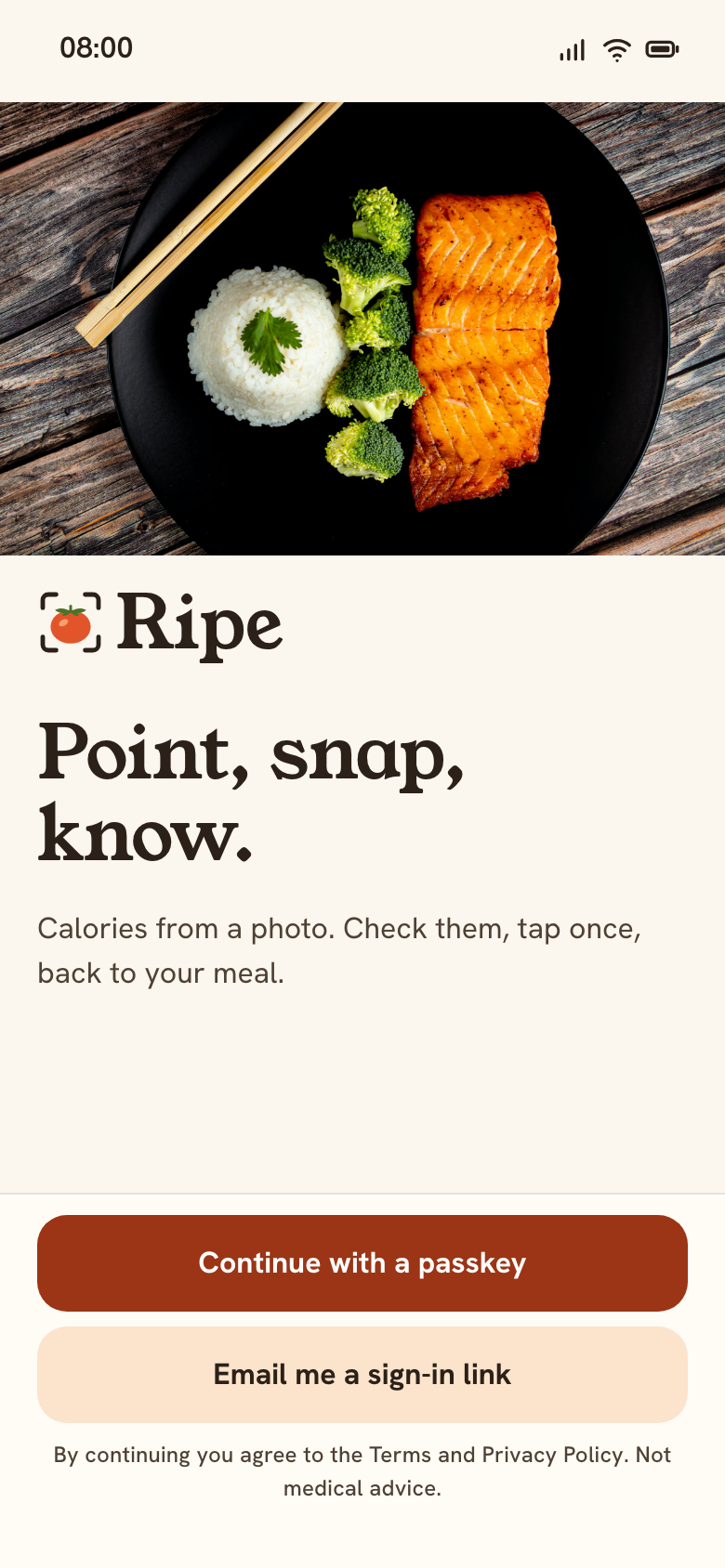 01 WelcomePasskey or email link
- Email me a link
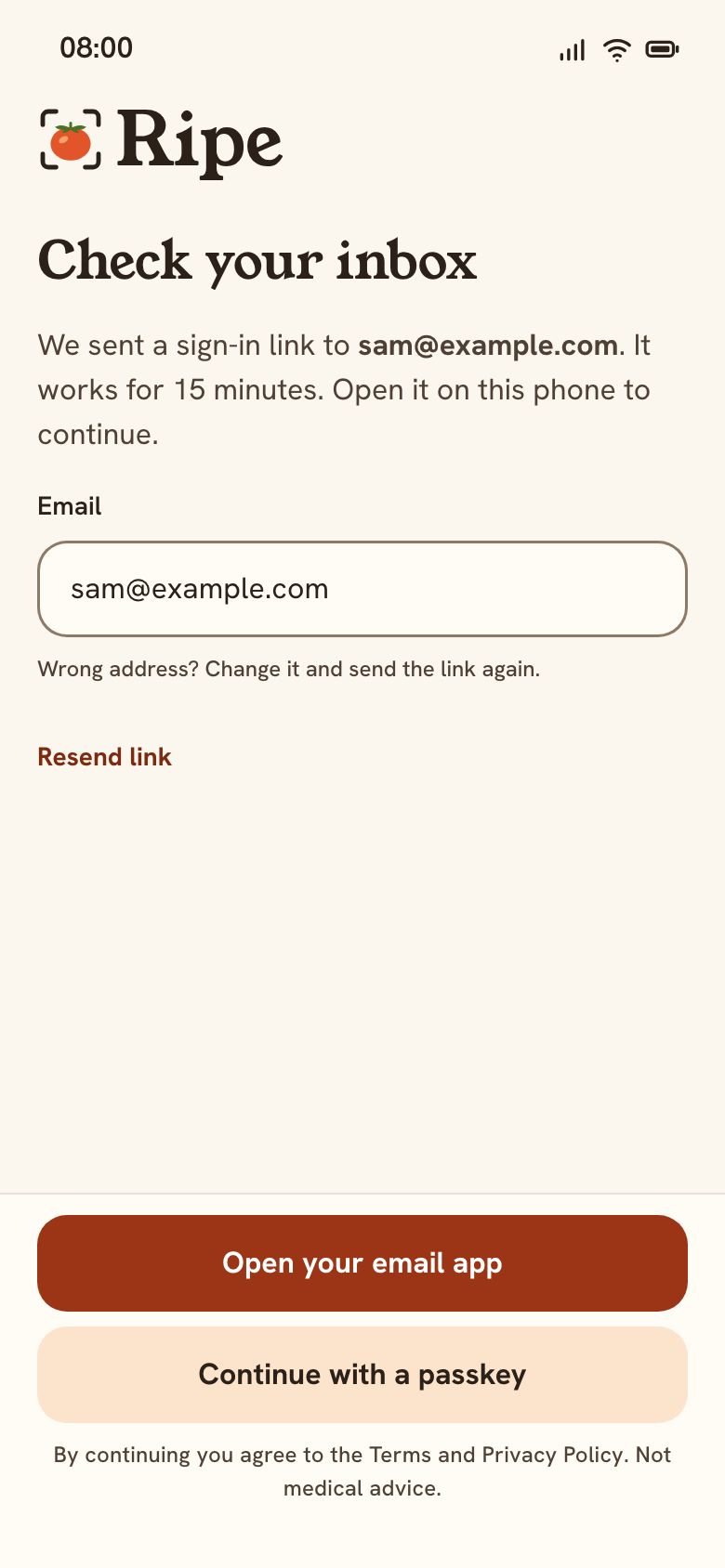 01 WelcomeCheck your inbox
- Open the linkemail app
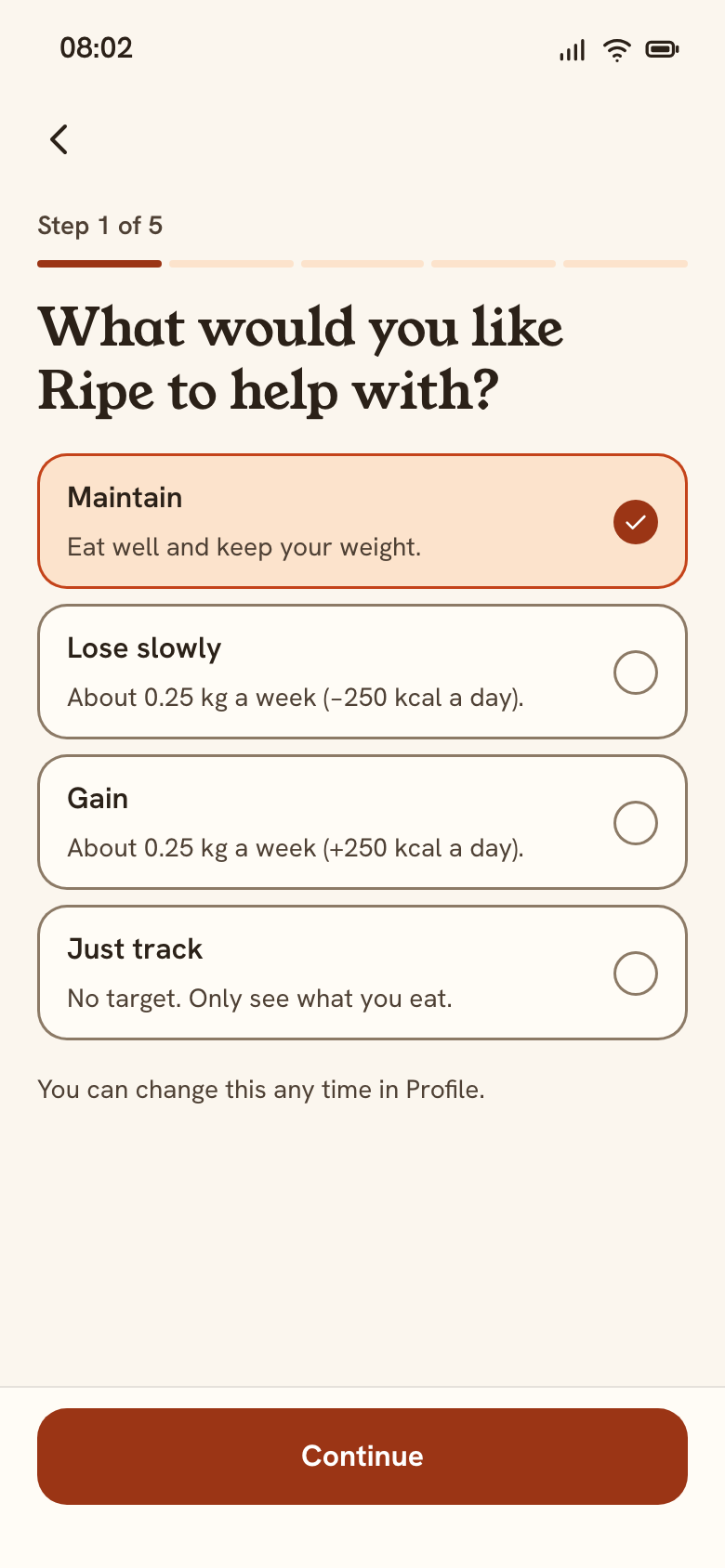 02 Your goalStep 1 of 5
- Continue
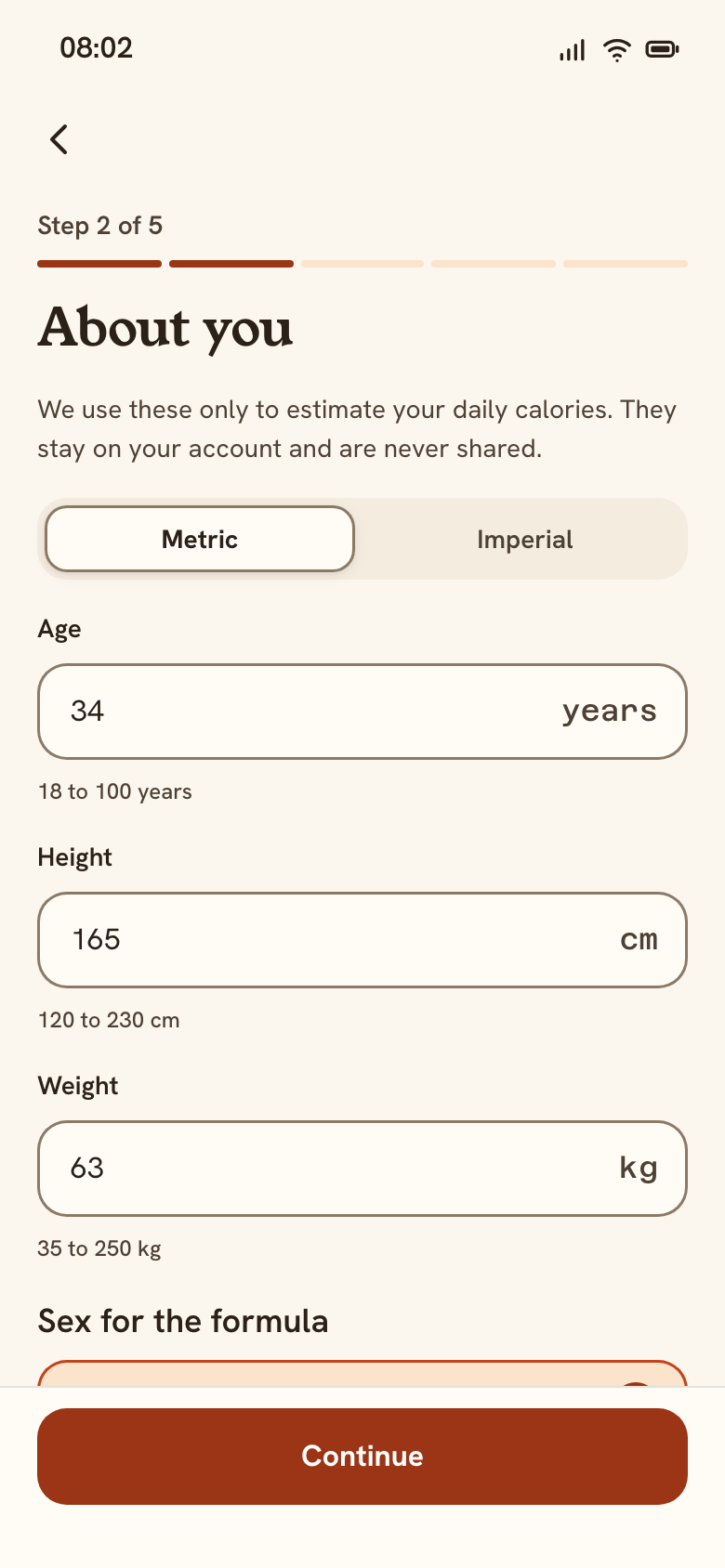 03 About youStep 2 of 5
- Continue
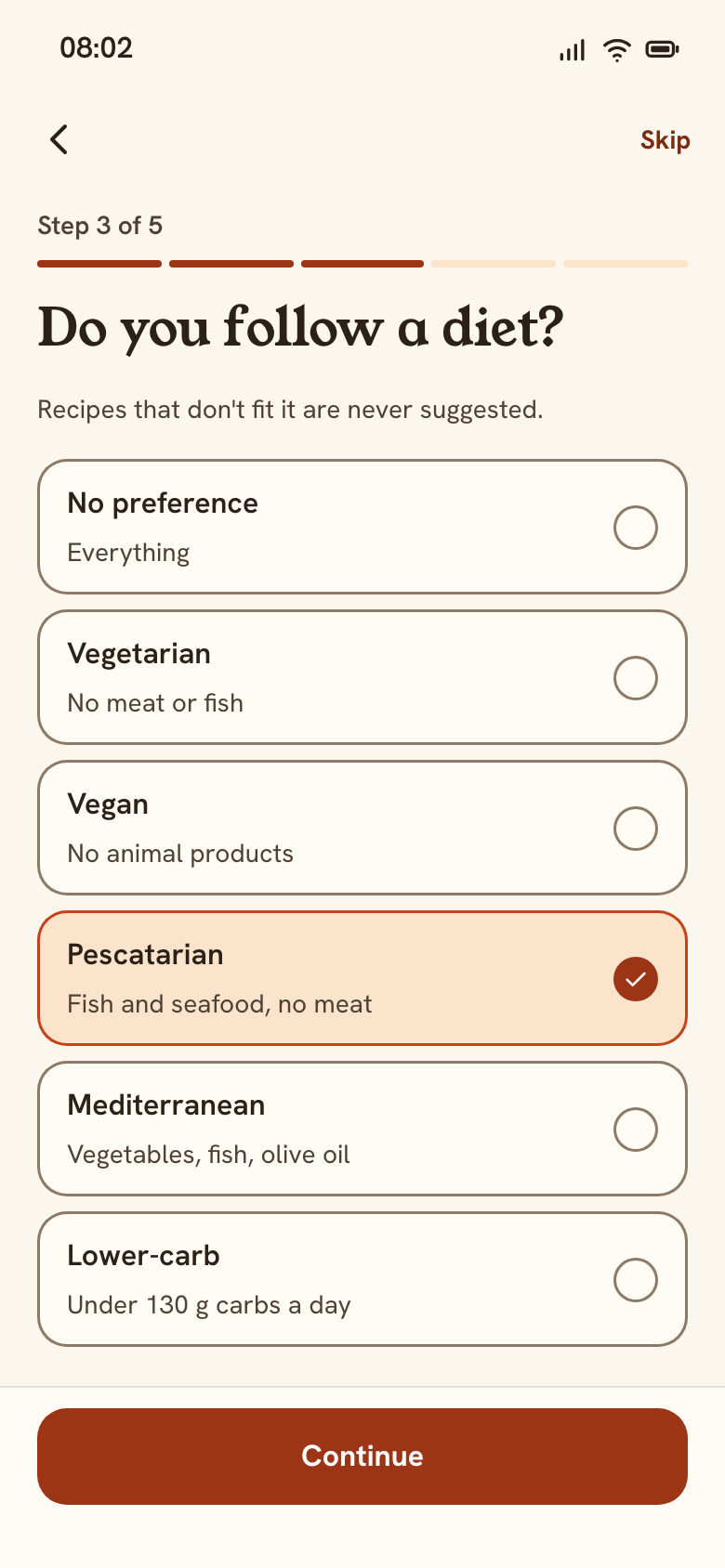 04 DietStep 3 of 5
0 · continued: allergies, target, first day
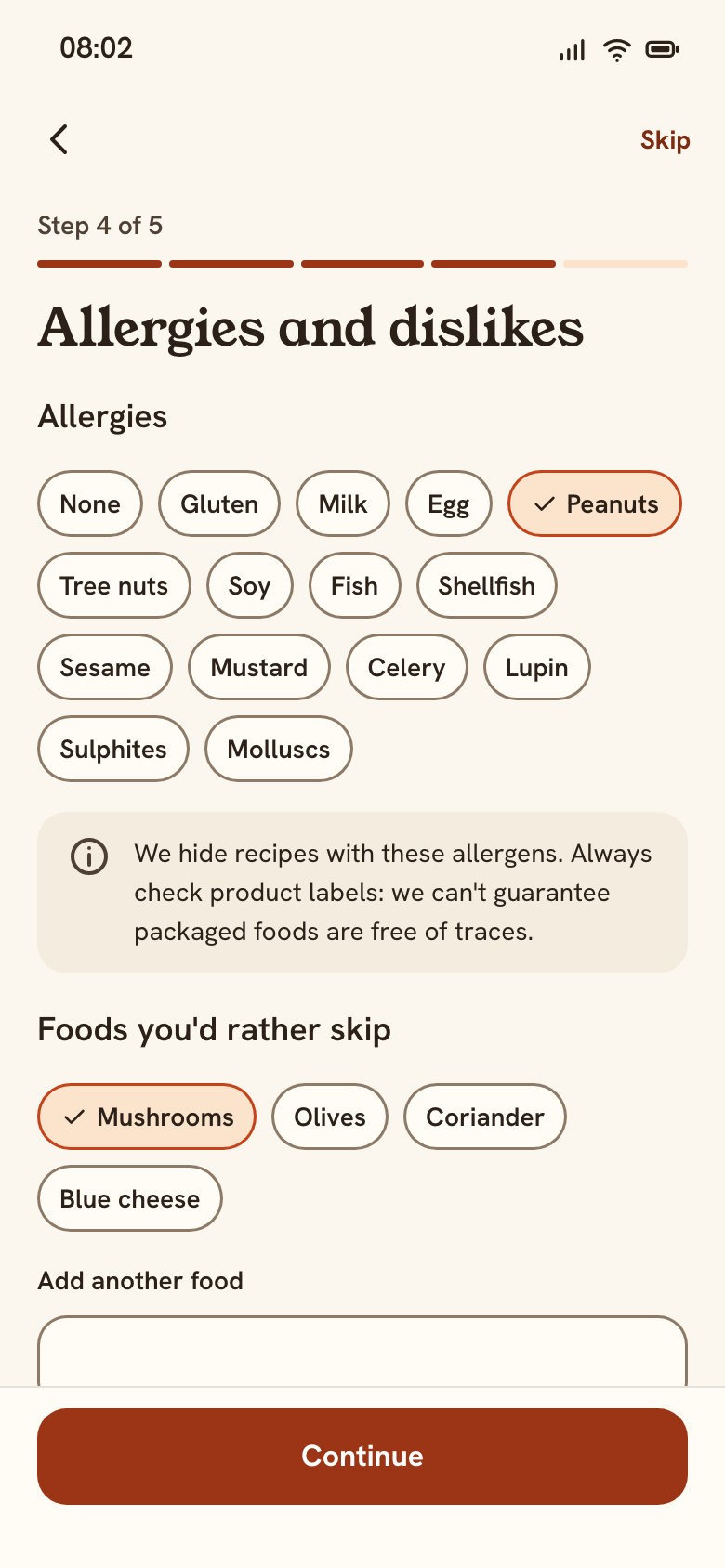 05 AllergiesStep 4 of 5
- Continueor Skip
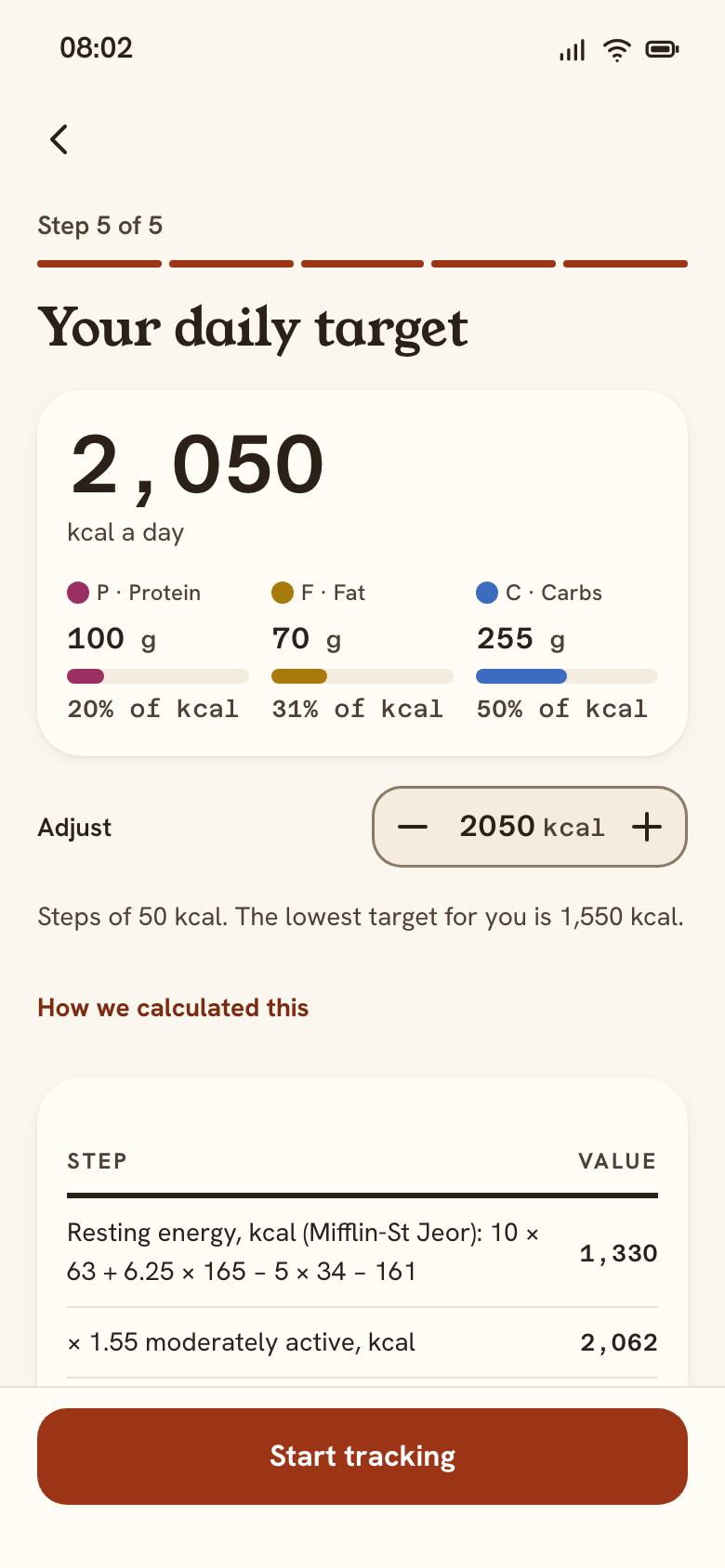 06 Daily targetStep 5 of 5 · 2,050 kcal
- Start tracking
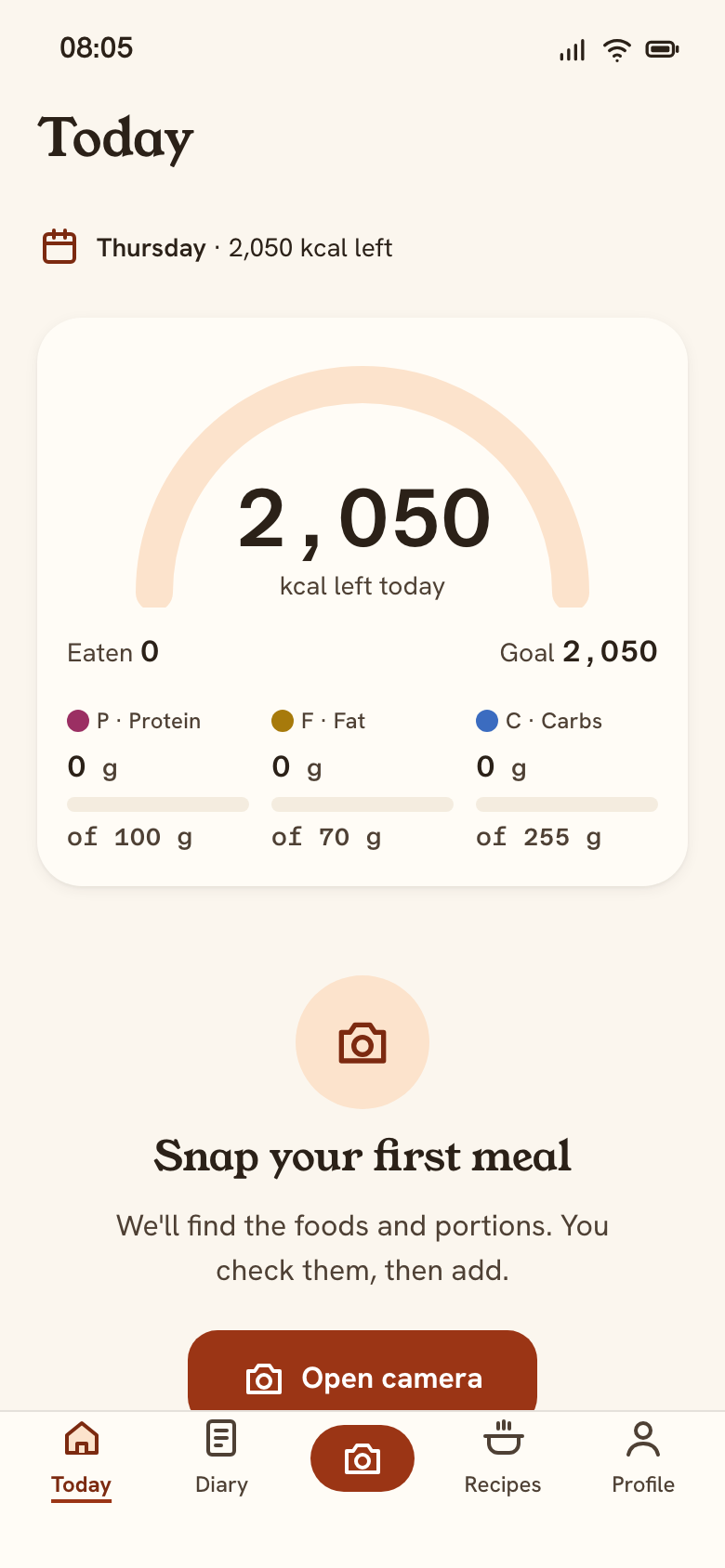 07 TodayFirst day: 0 of 2,050
0B · Errors and limits
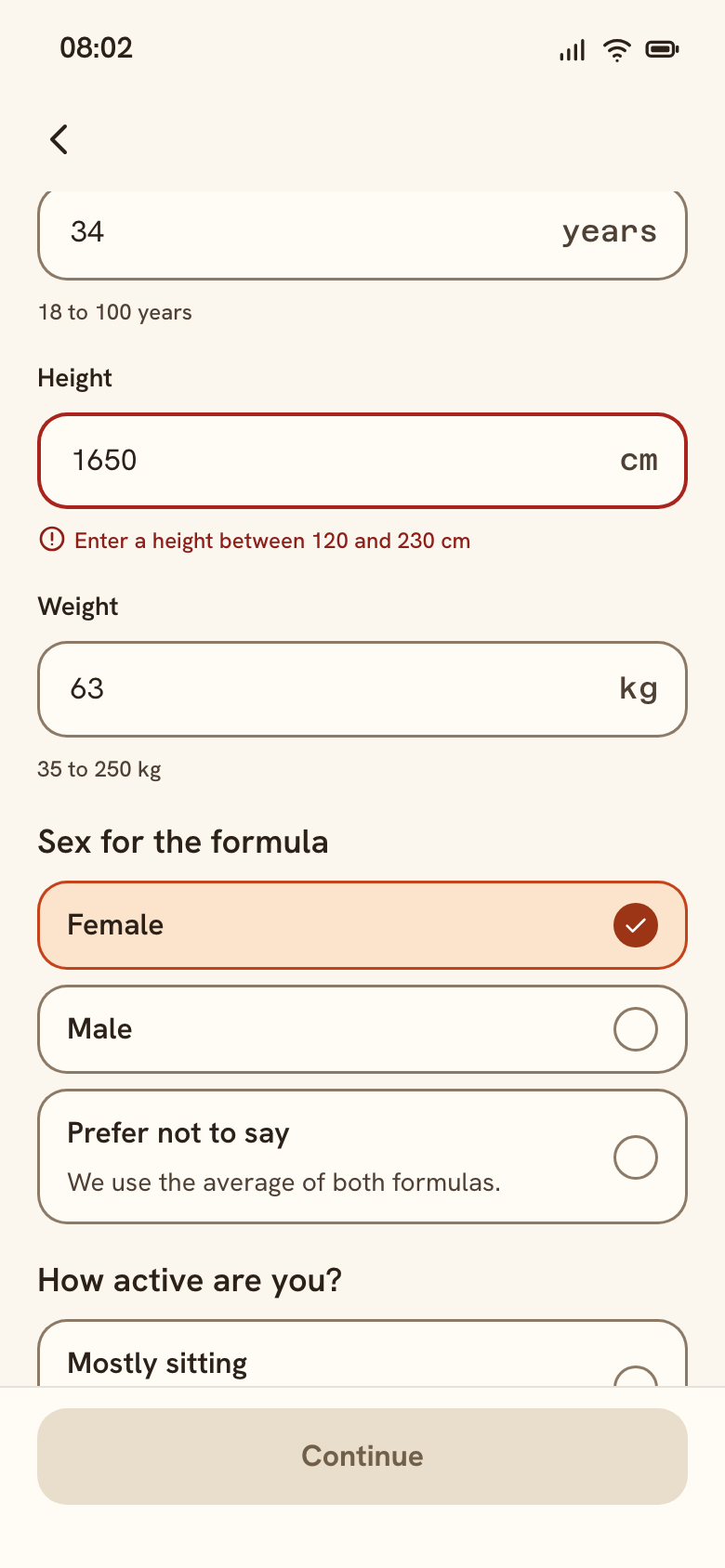 03 About youHeight out of range
- Fix the height
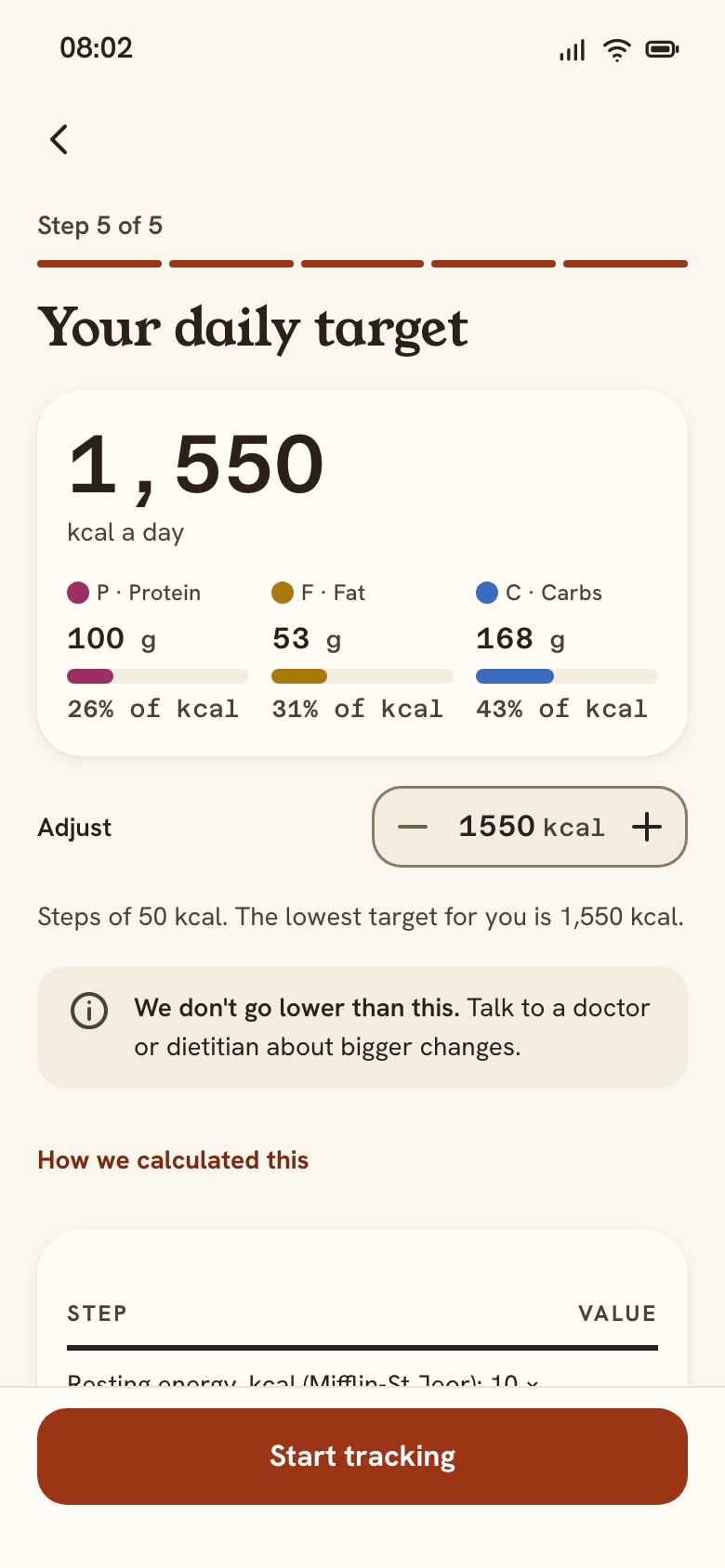 06 Daily targetAt the floor: 1,550 kcal
- 24. No password to forget
A passkey first, an email link second (WCAG 3.3.8: no memory or puzzle test). Nothing is asked before the value is shown.
- 25. One question per screen
Option cards are native radios: the whole card is the target, arrows move the choice. Maintain is preselected; nothing extreme is offered.
- 26. Say why we ask
Body data is only for the formula and never shared. “Prefer not to say” uses the average of both formulas; errors say the valid range.
- 27. Allergies are a hard filter
14 major allergens as toggle chips, with “always check labels”. Foods you'd rather skip only move recipes down.
- 28. A target that's safe
The maths is shown (Mifflin-St Jeor × activity). −50 steps stop at 1,550 kcal with a calm note; the macros always add up.
- 29. The first day has one next step
Ring 0 of 2,050, four Add buttons, and “Snap your first meal” with Open camera or Search instead.
Calculate calories in a dish or product
The main path is a photo: snap, check, add. Search and the dish calculator cover packaged foods and home cooking, and all three end in the same “add a portion” step.
1A · From a photo (main path)
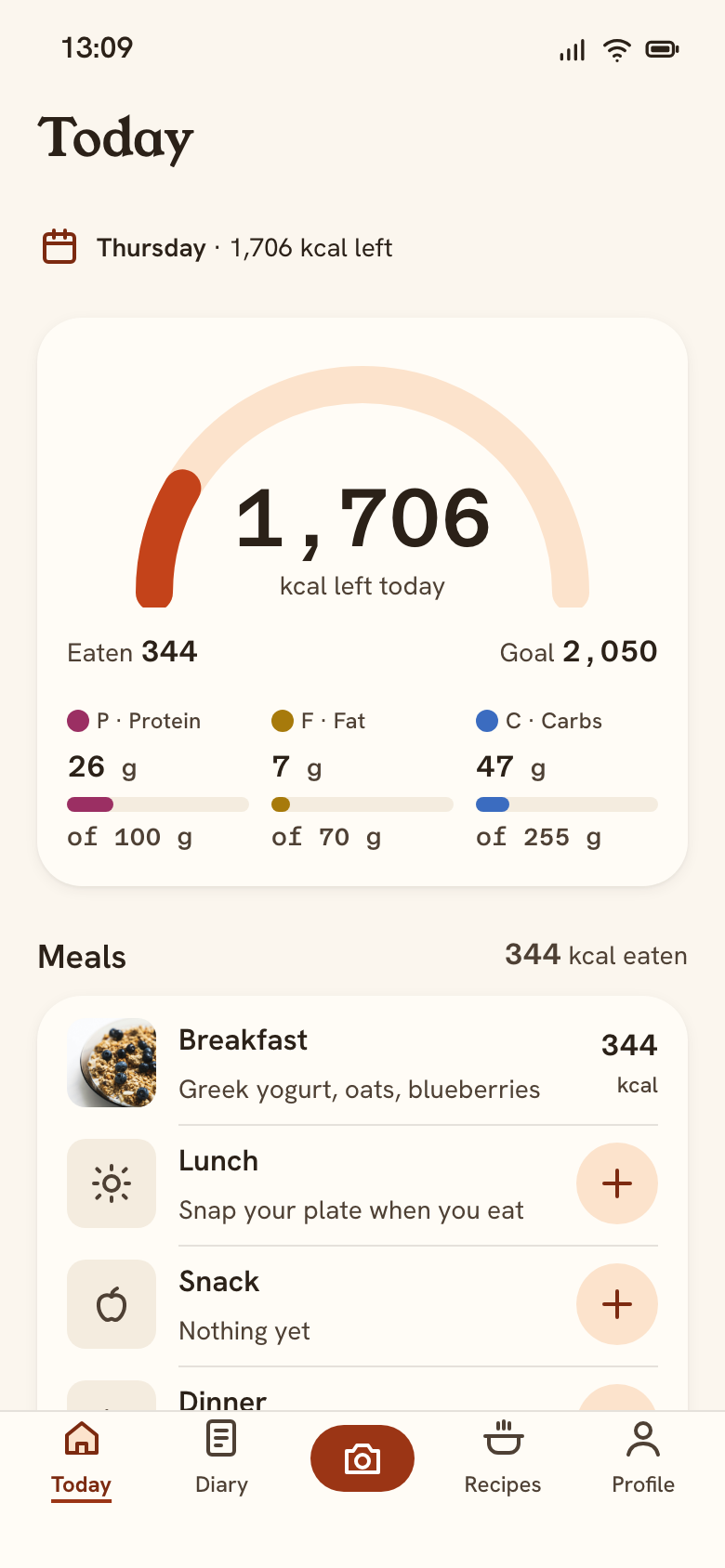 07 Today13:09 · breakfast logged
- Tap Scantab bar
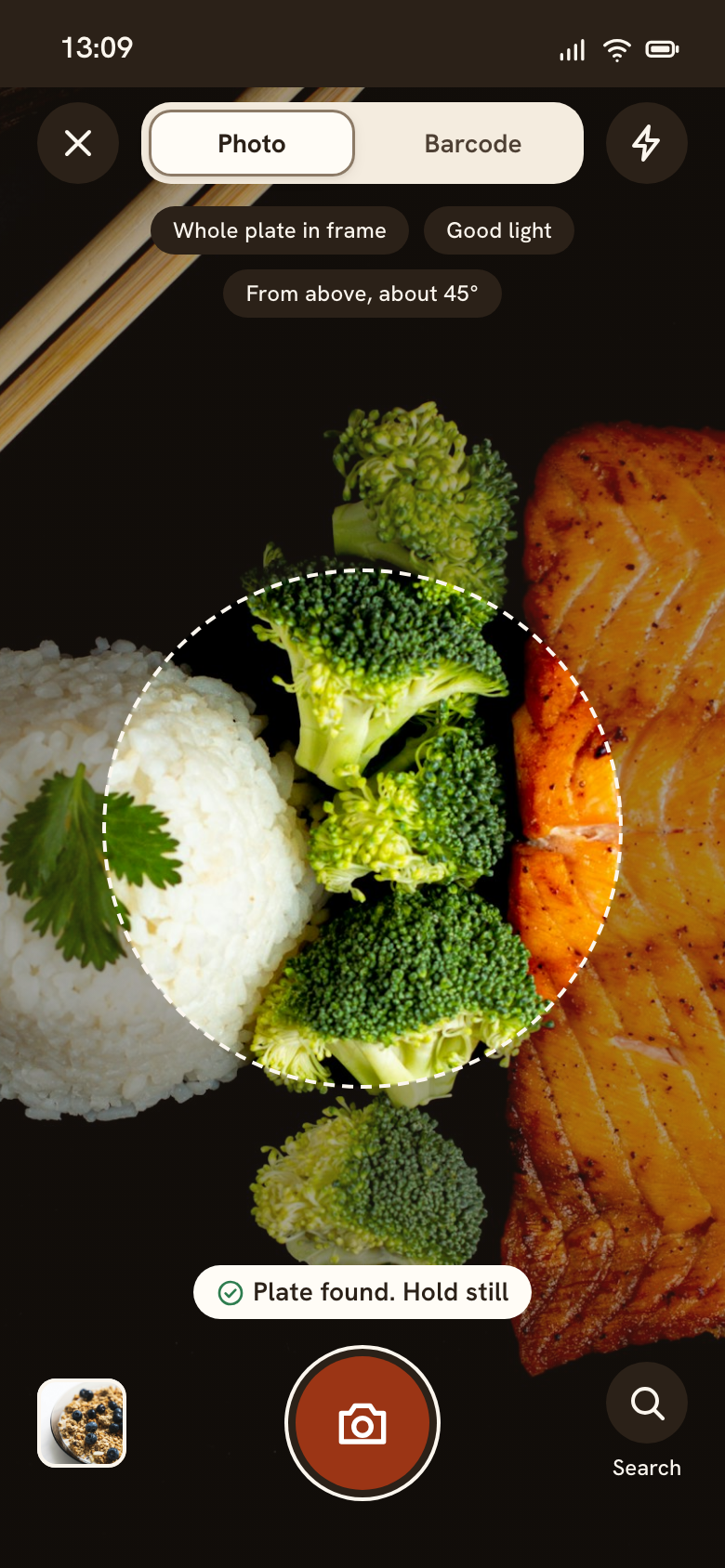 08 ScanCamera with plate guide
- Shutter
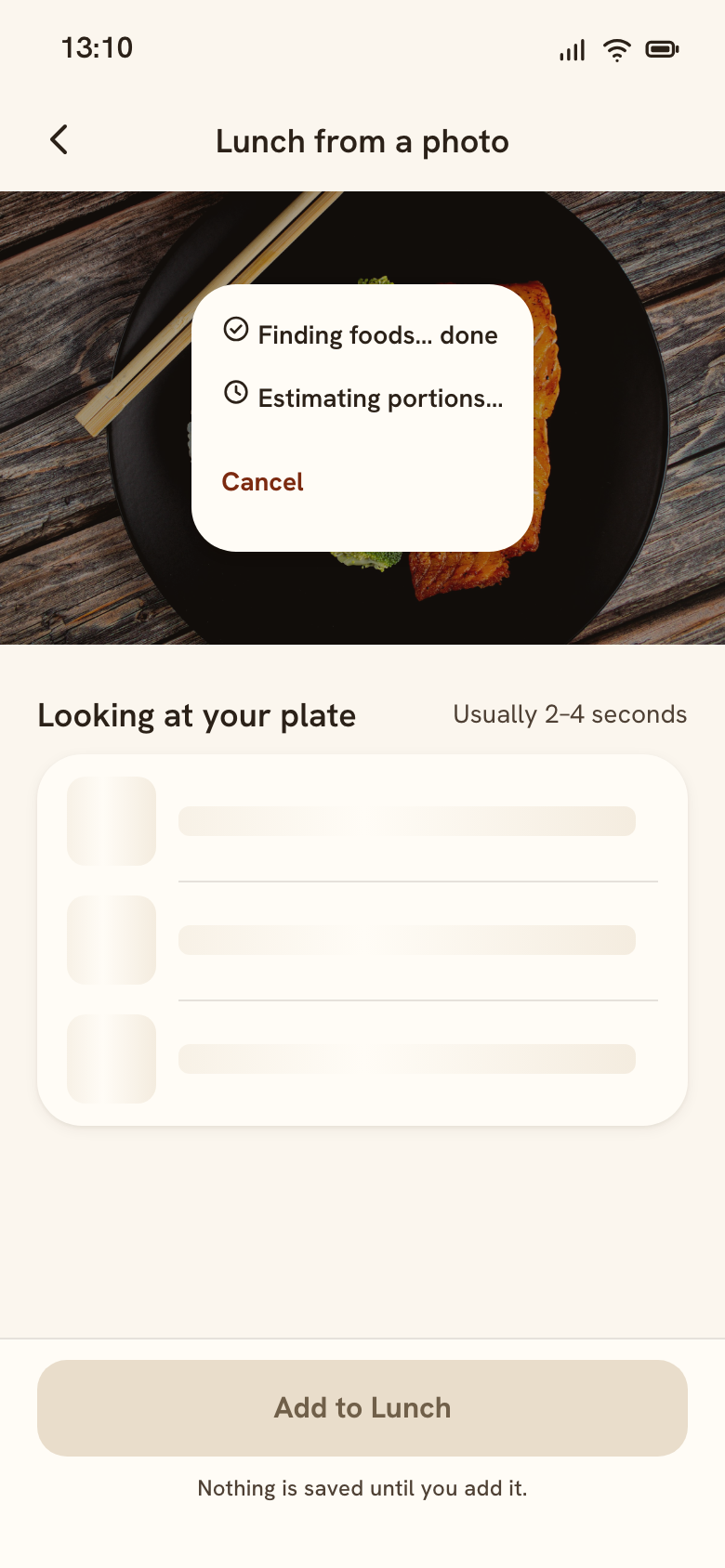 09 Photo resultLoading: analyzing, 2–4 s
- 2–4 sautomatic
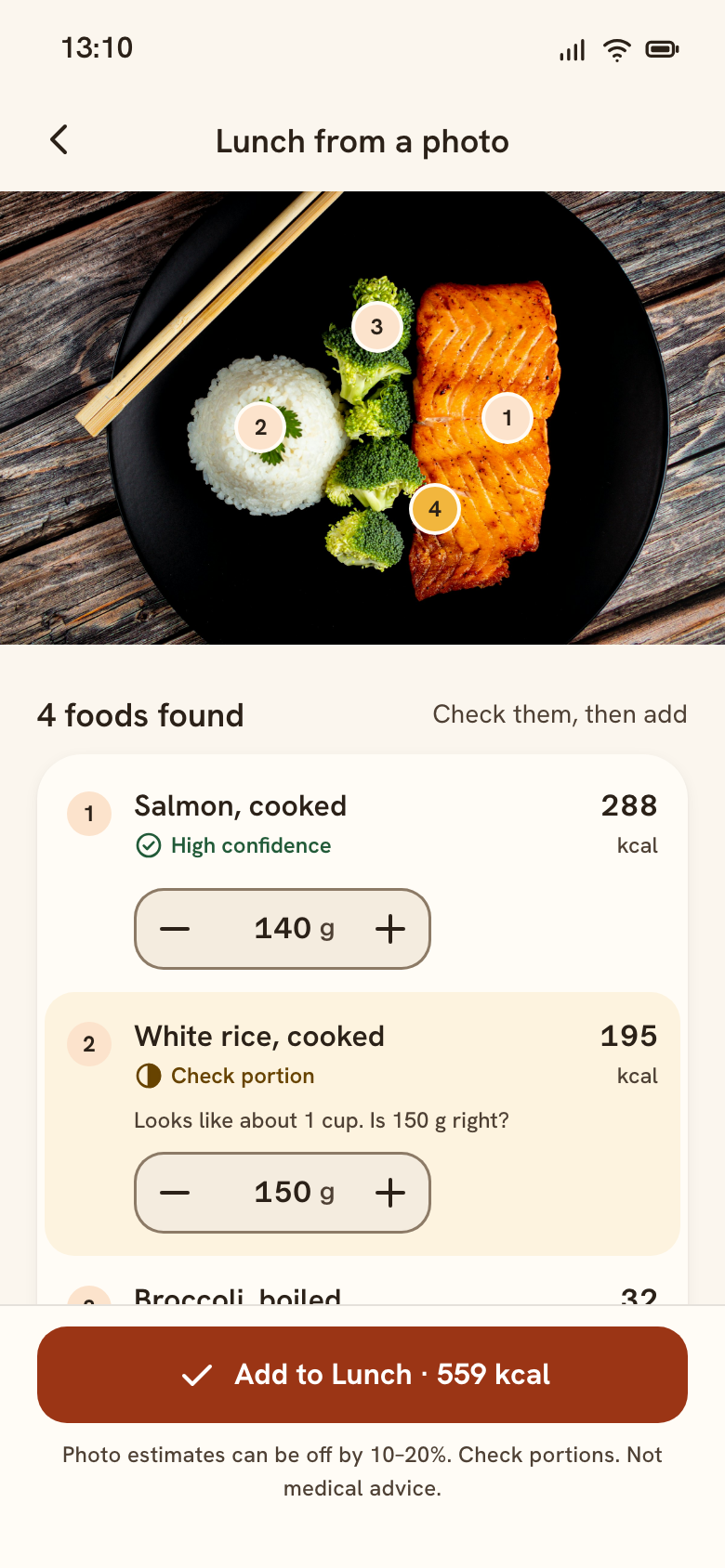 09 Photo result4 foods, confidence, weights
- Add to Lunchone tap
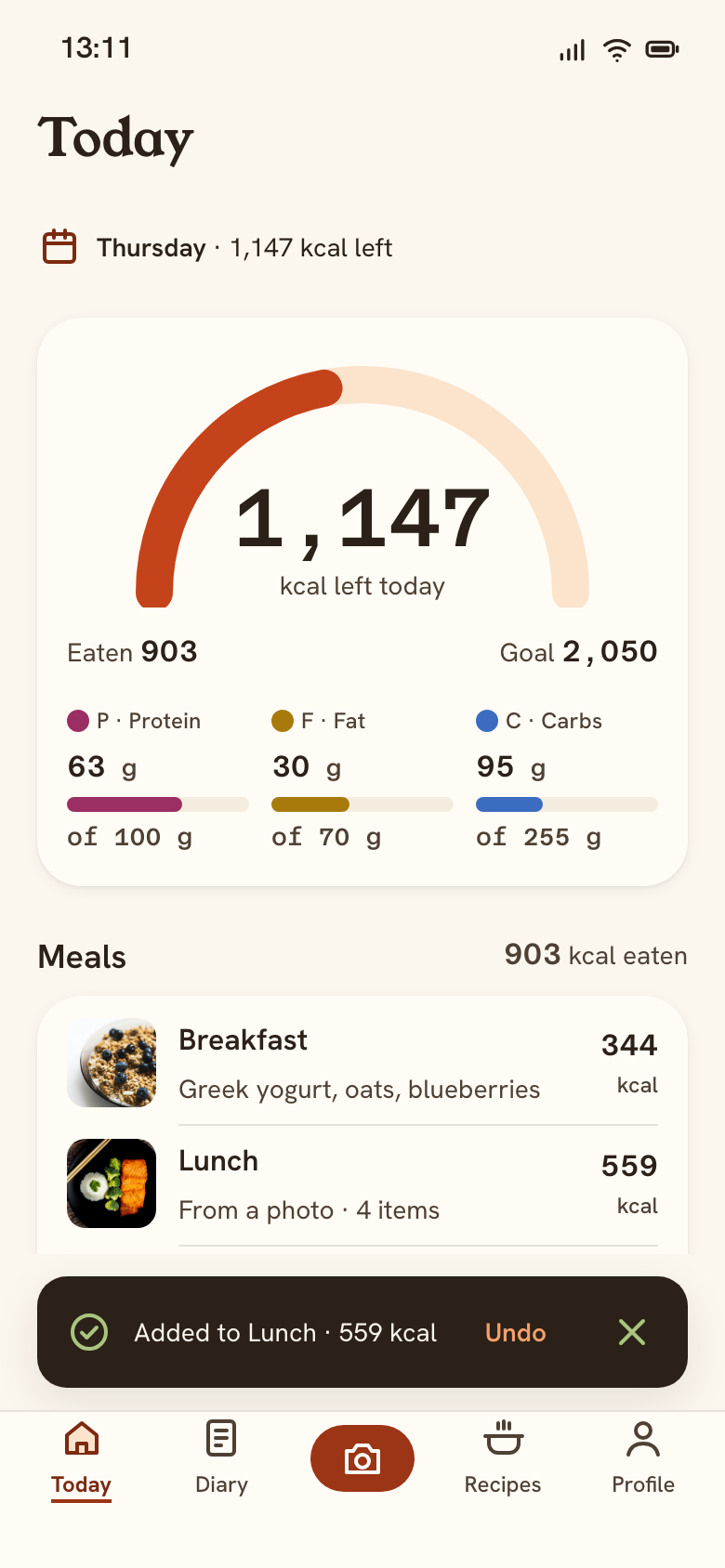 07 TodayLunch added · 903 kcal
1B · Search a product · 1C · Home-cooked dish
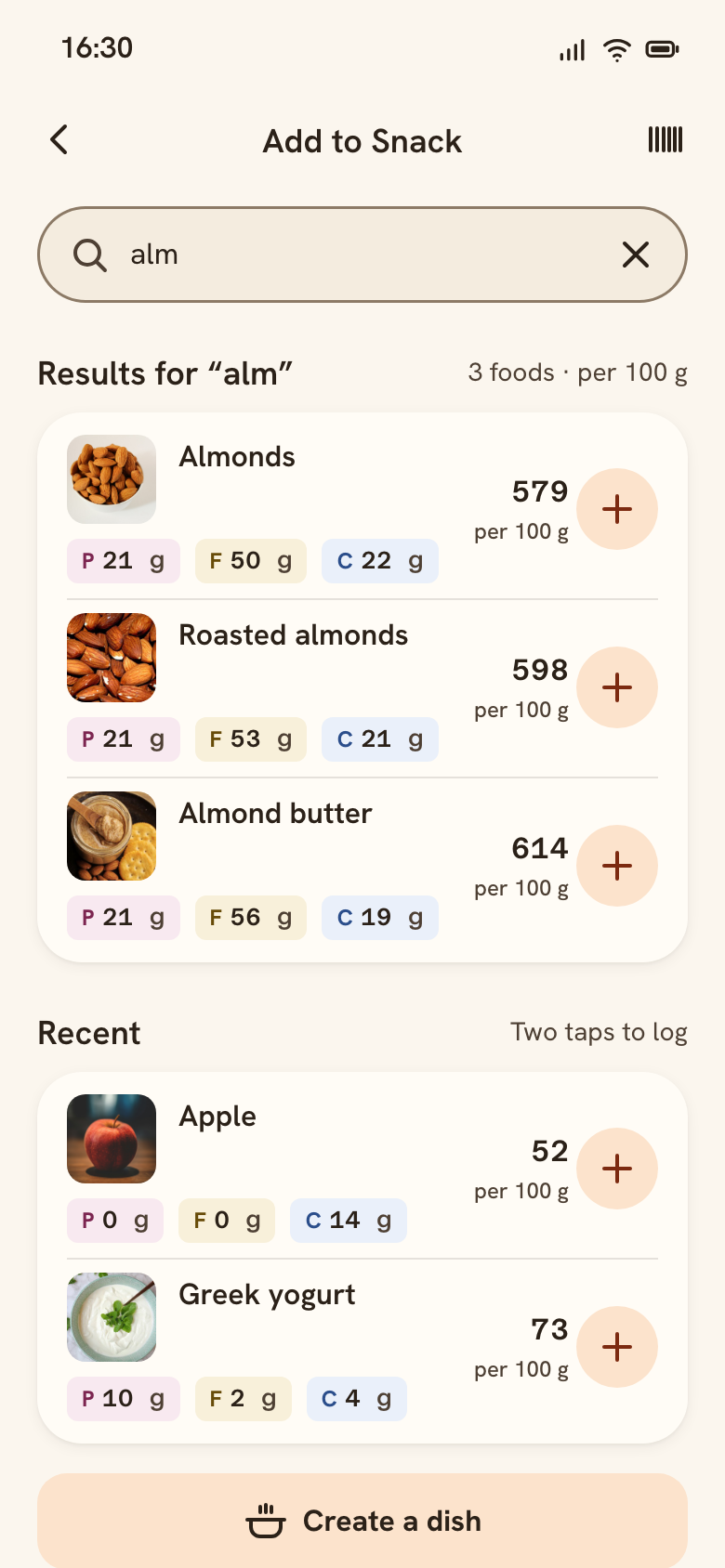 10 Add foodSearch “alm”, recents
- Tap Almondsfrom search
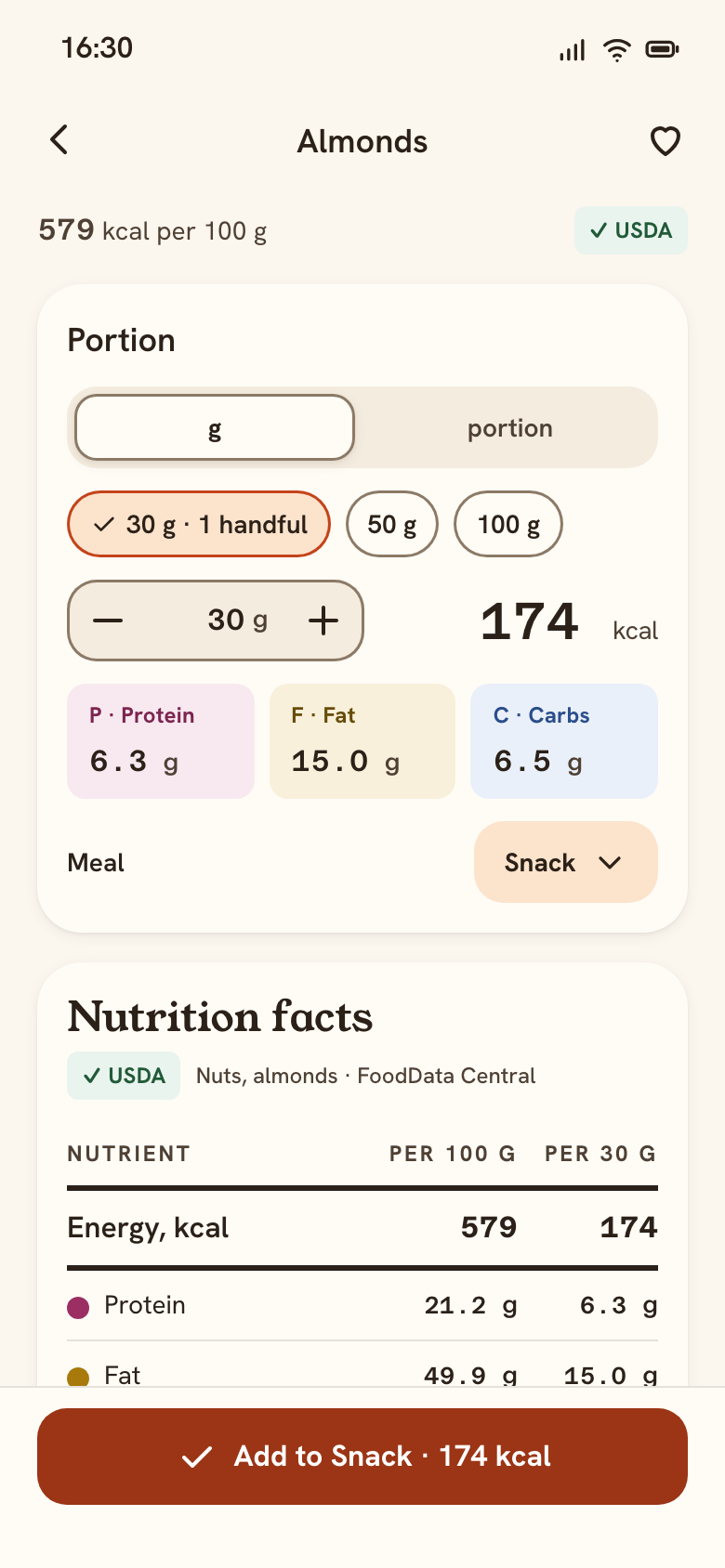 11 Food detail & portionAlmonds, 30 g
- Create a dishalso from Add food
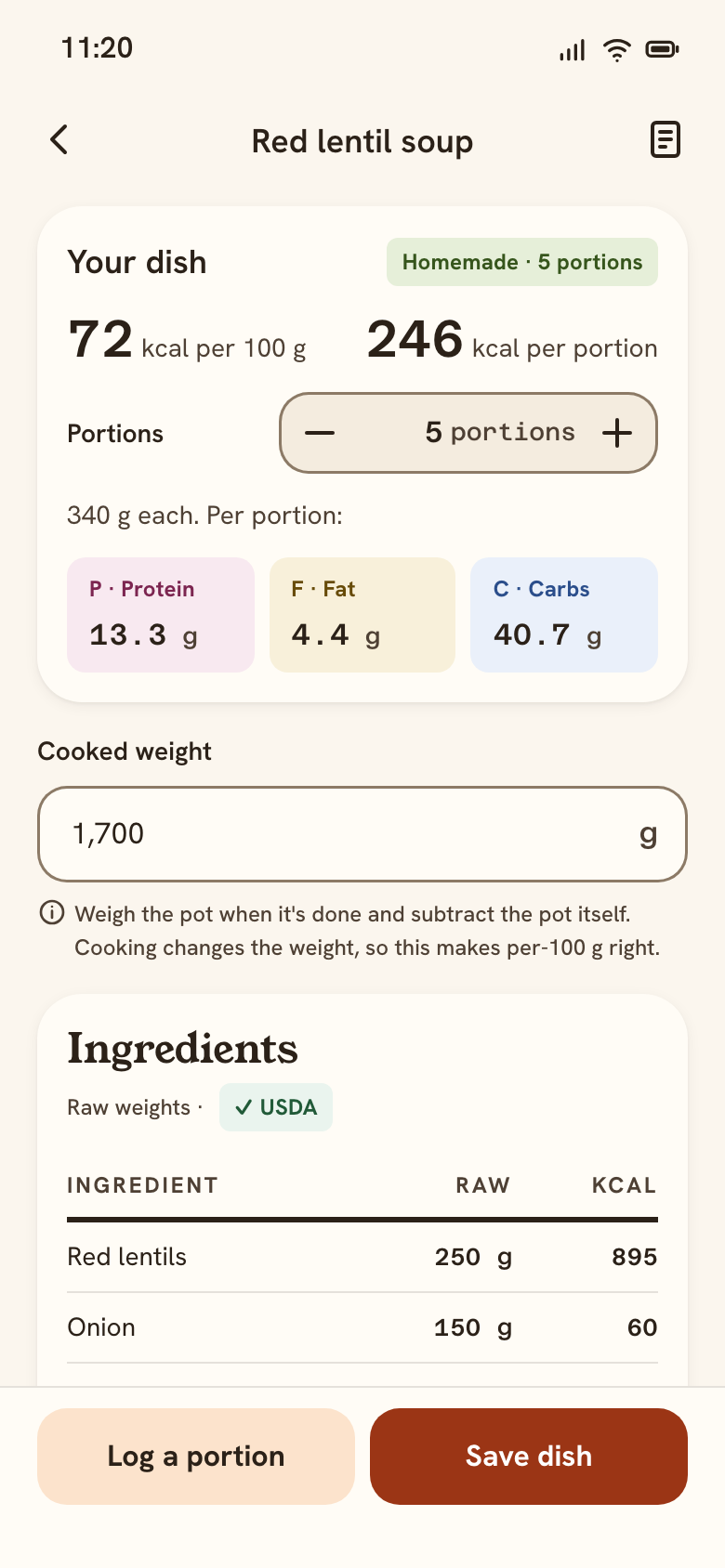 12 Dish calculatorRed lentil soup
- 1. Camera is never the only way in
Plate guide, three capture tips and a live hint. Library and Search sit next to the shutter.
- 2. Honest loading
Plain steps and Cancel, no fake percentage. Nothing is saved yet, and the primary button says so.
- 3. Confidence on every food
Icon + word: High, Check portion, Not sure. Never colour alone.
- 4. One concrete question
“Check portion” tints the row and asks “Is 150 g right?”. “Not sure” offers the two likely answers and Search.
- 5. The button carries the result
“Add to Lunch · 559 kcal”. Meal is preselected from the time; the estimate range is stated.
- 6. Undo, not “Are you sure?”
Logging is reversible, so it's one tap plus Undo. The toast has no timer.
- 7. Two taps from search
Recents first; one canonical entry per food. The USDA source is named on the food detail (research insight 2).
- 8. Per 100 g + source
The anchor value and its source stay on top; quick portions like “30 g · 1 handful”.
- 9. Cooked weight fixes home cooking
Raw ingredients + the cooked pot weight → real kcal per 100 g and per portion (insight 1).
Find a recipe that suits me
“Suits me” means my diet and allergies (hard filters) and what's left today (ranking). The recipe is logged in two taps, and Today updates.
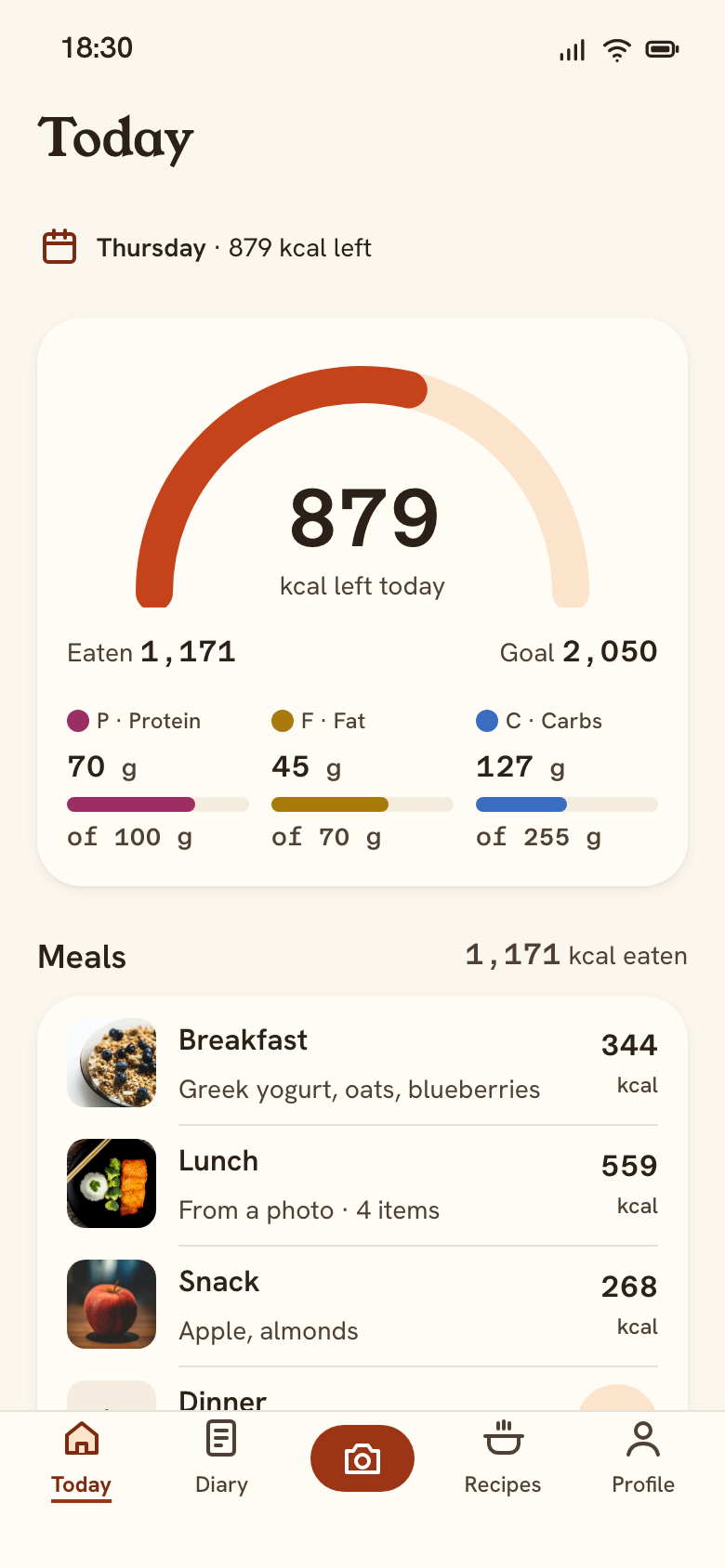 07 Today18:30 · 879 kcal left
- Recipes tabor the “Fits your dinner” card
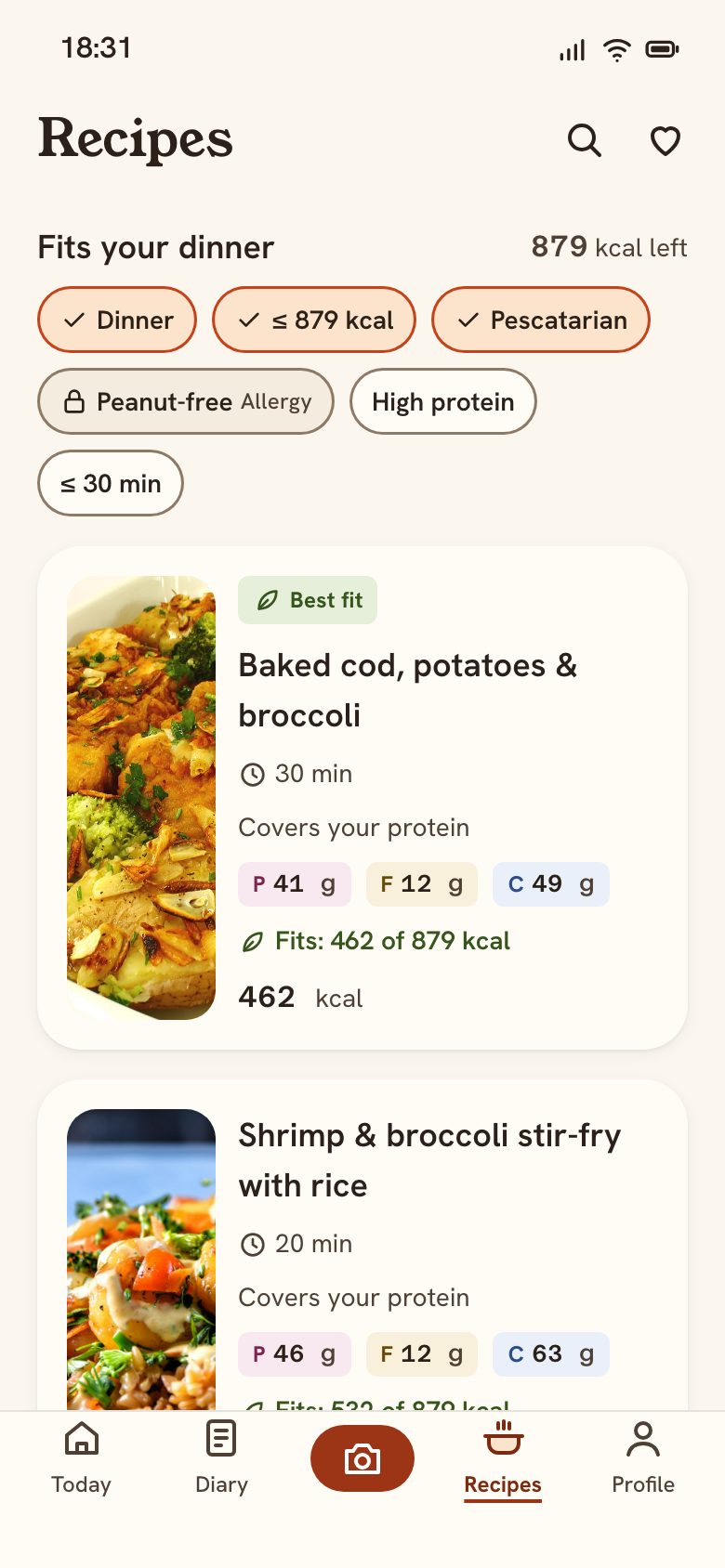 13 RecipesFits your dinner
- Tap Baked cod
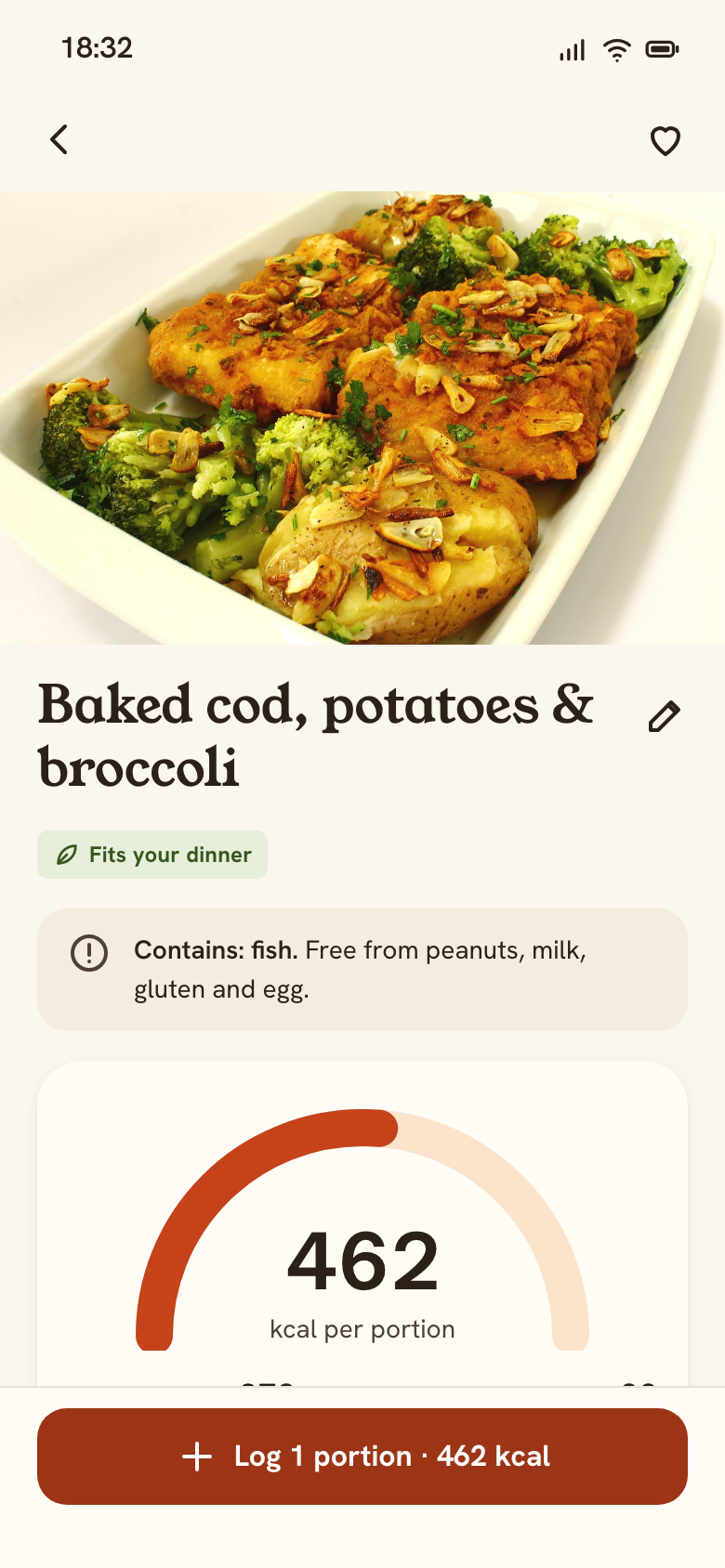 14 Dish detailBaked cod, potatoes & broccoli
- Log 1 portion
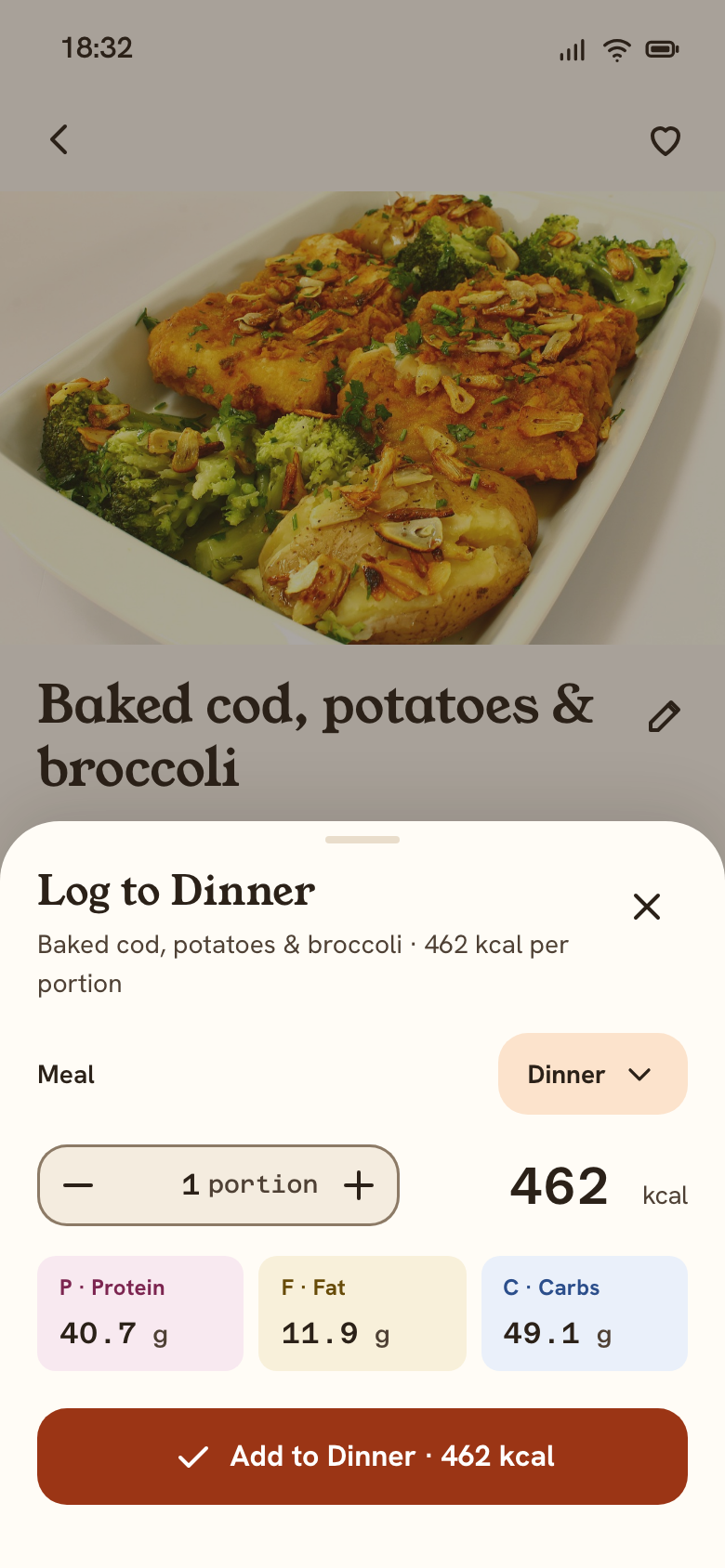 14 Dish detailLog sheet
- Add to Dinnersheet closes
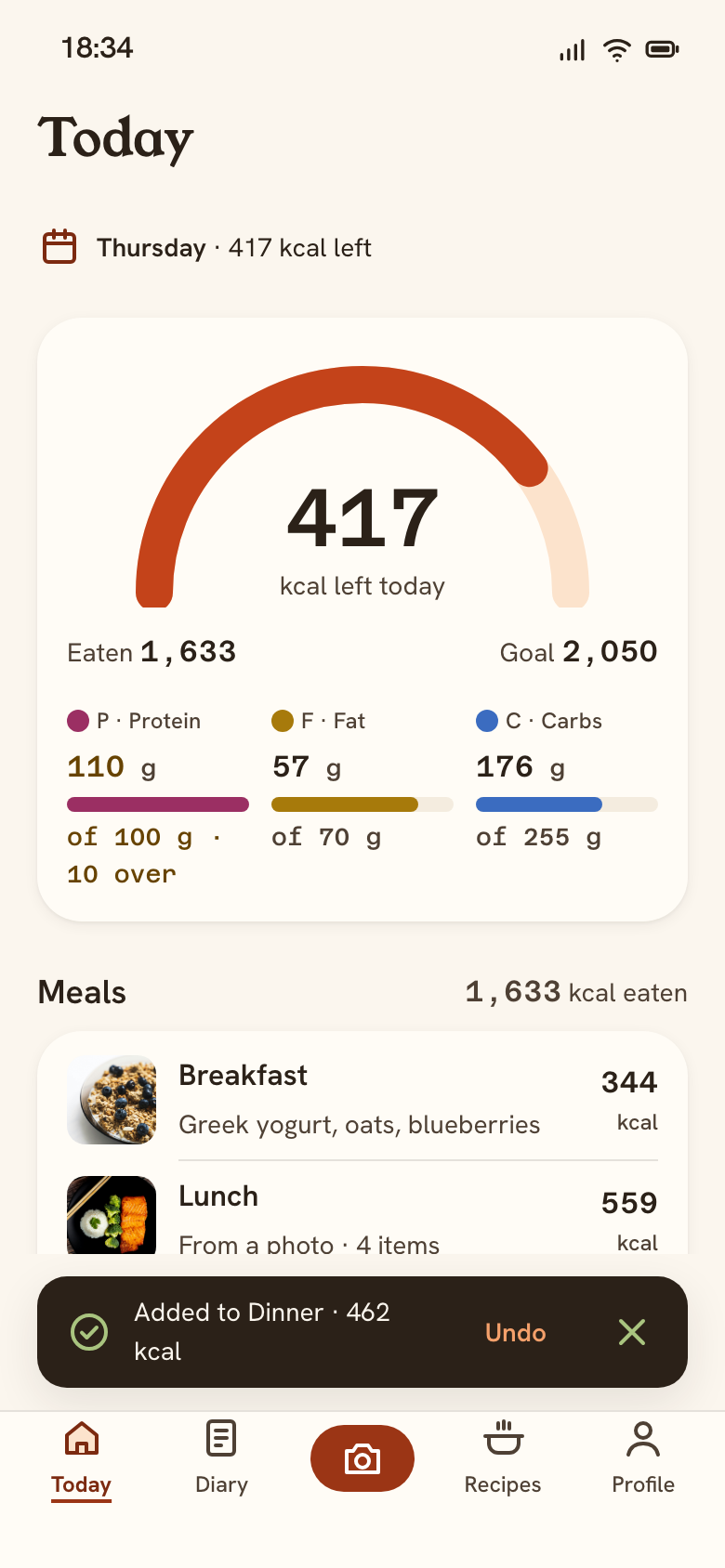 07 TodayDinner added · 1,633 kcal
2B · Fix a dish that was entered wrong
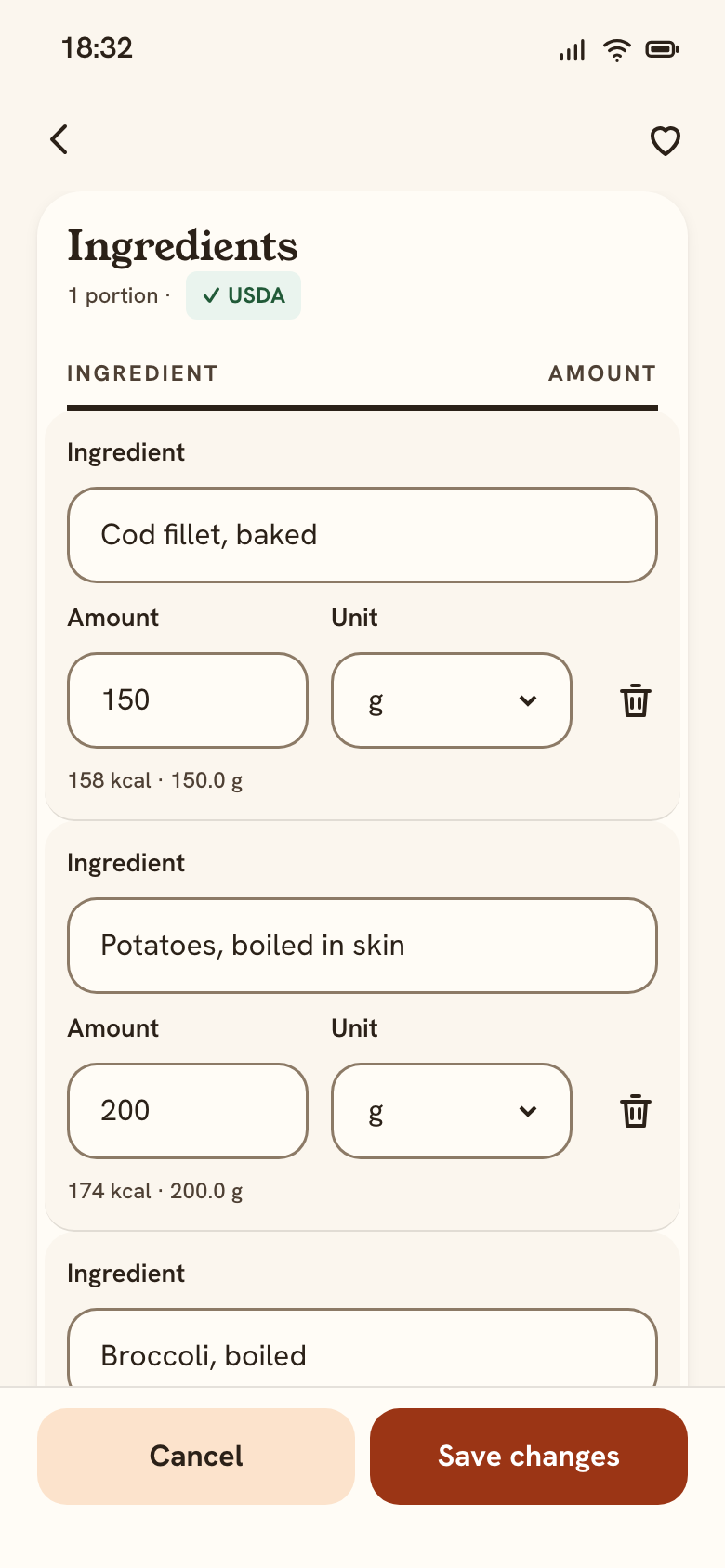 14 Dish detailEdit ingredients
- Change an amounttotals update live
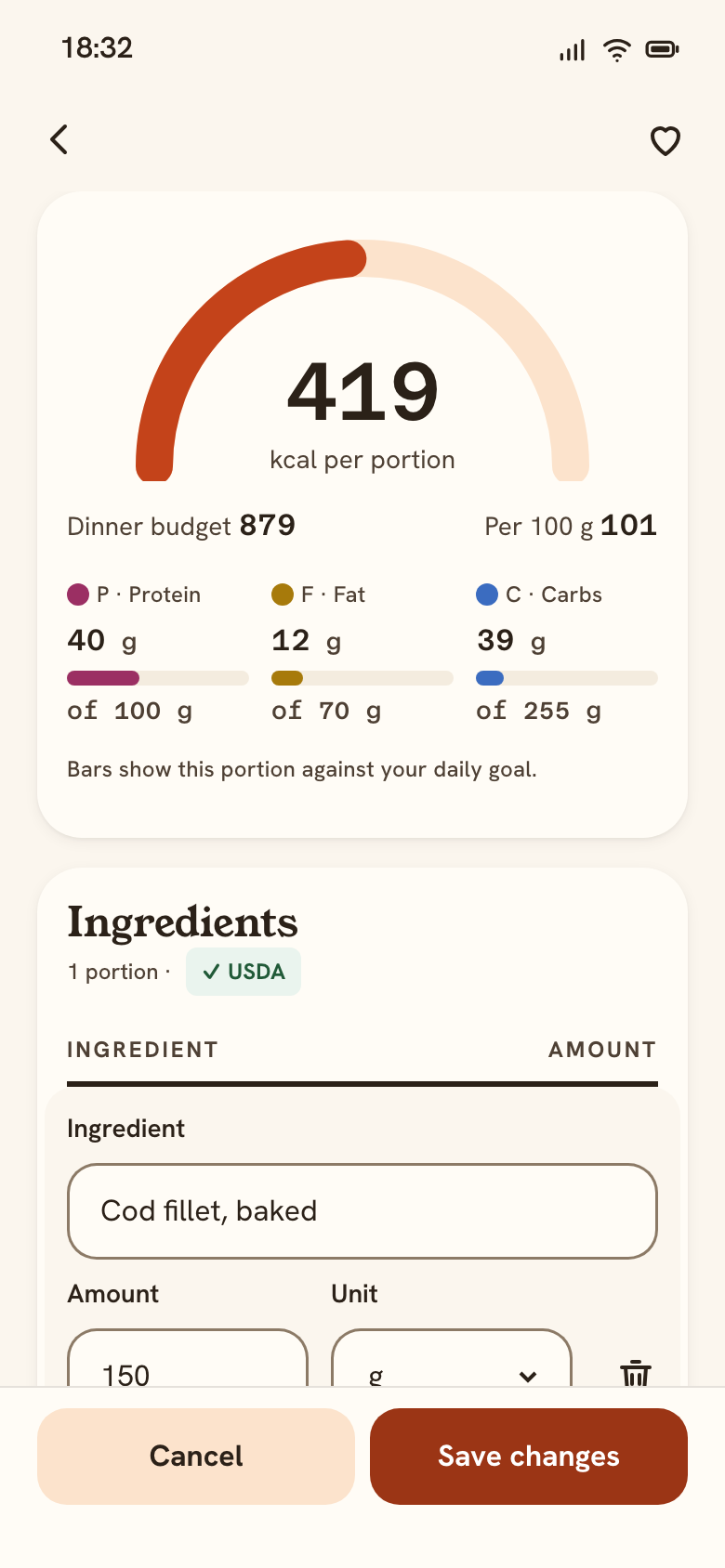 14 Dish detailPotatoes 200 → 150 g: totals update
- Delete Garlic
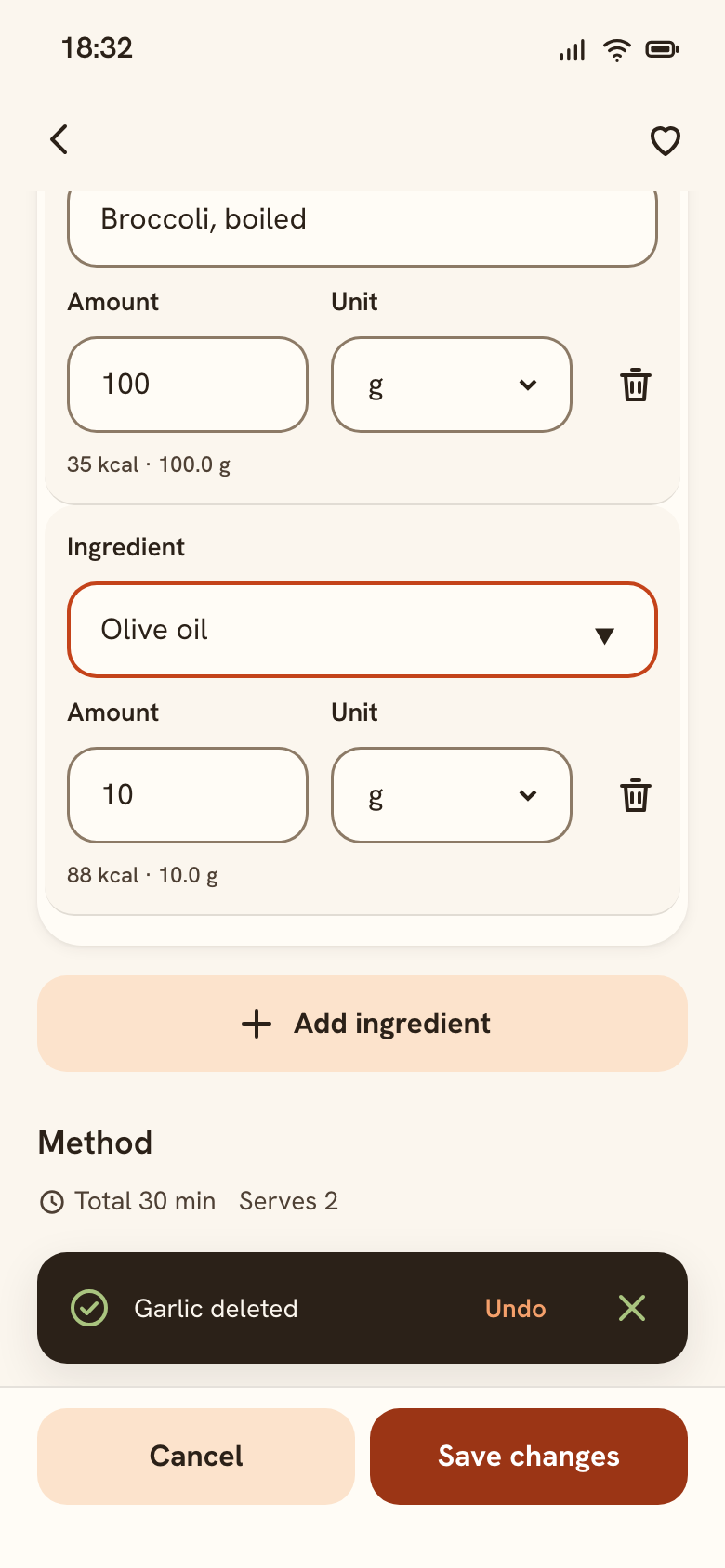 14 Dish detailGarlic deleted, Undo
- Backwith changes
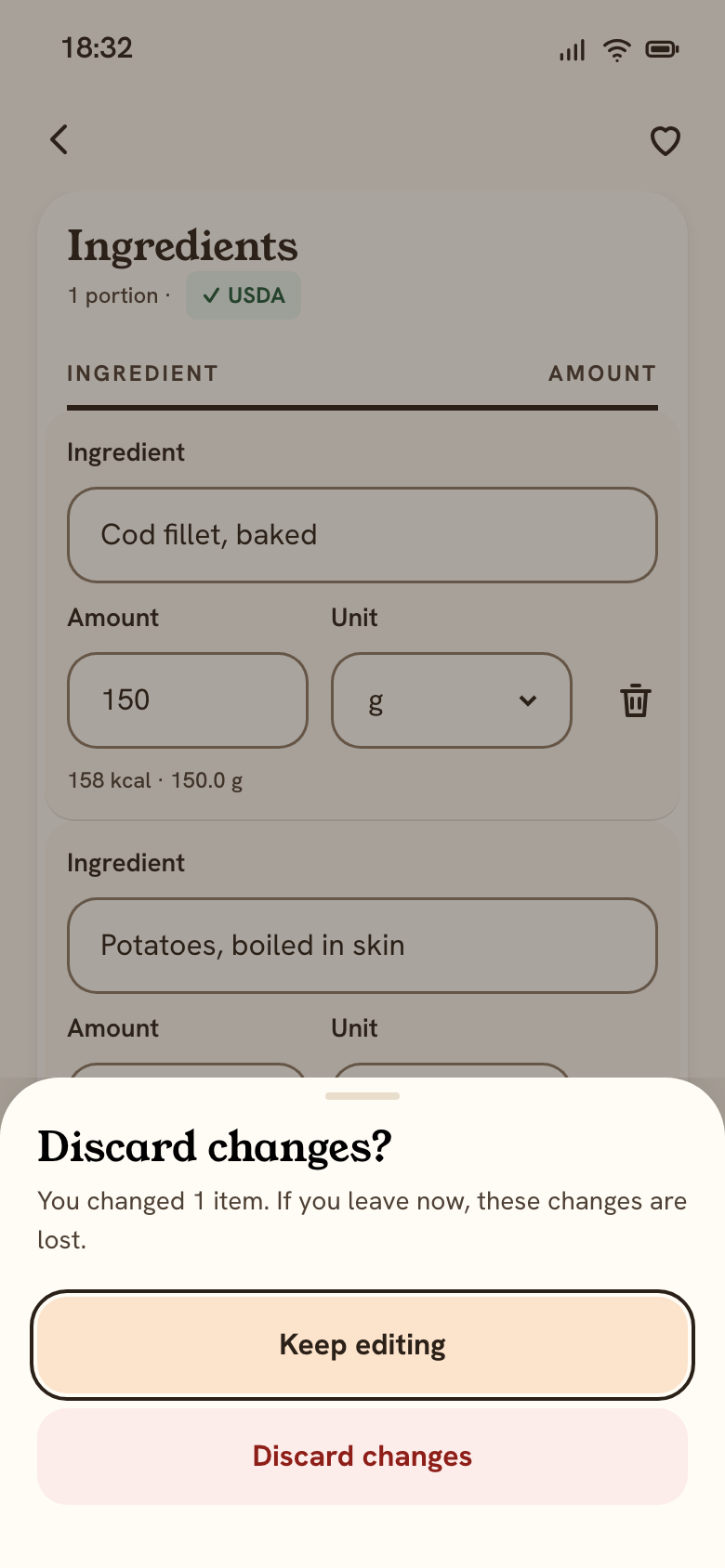 14 Dish detailBack with changes
- Edit the namepencil next to the title
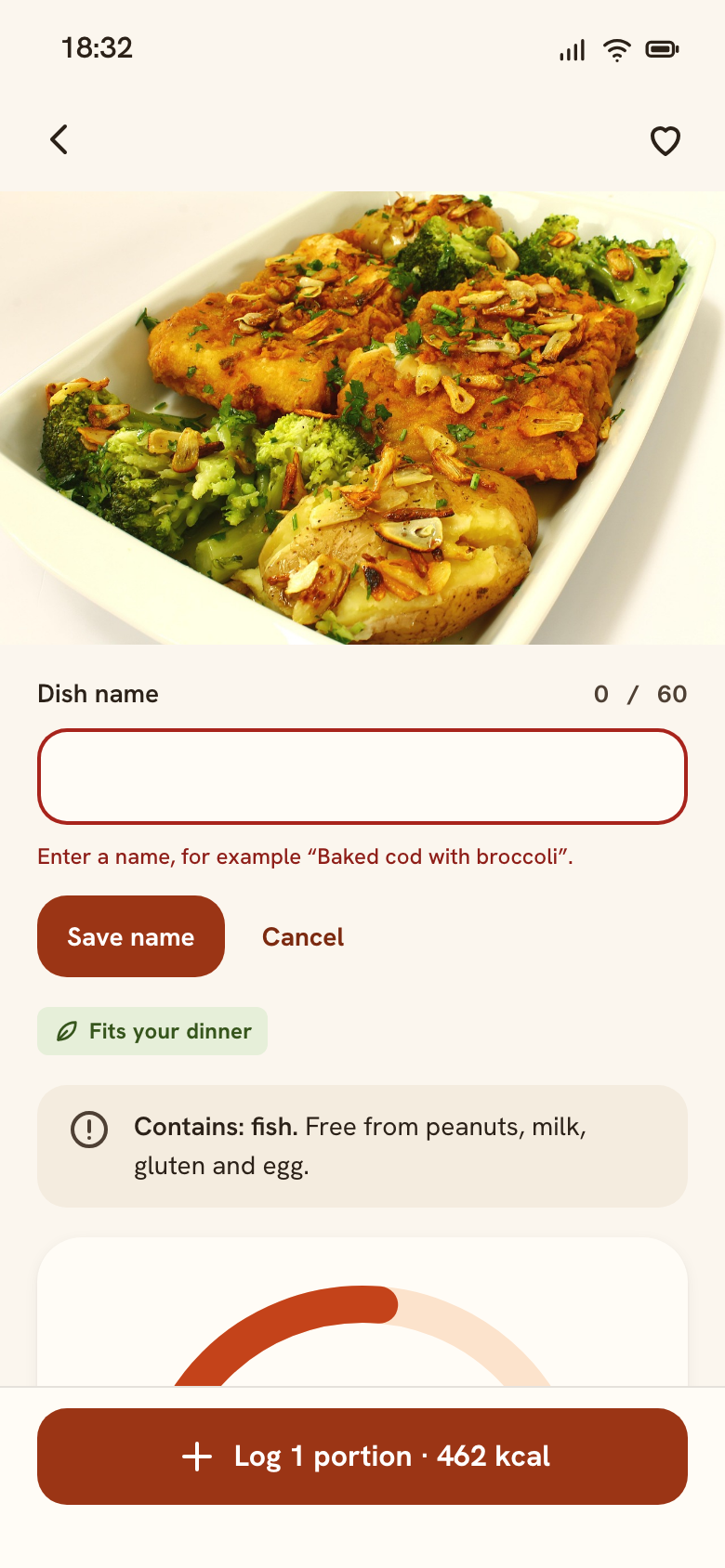 14 Dish detailName: validation error
2C · From the Today card to the method
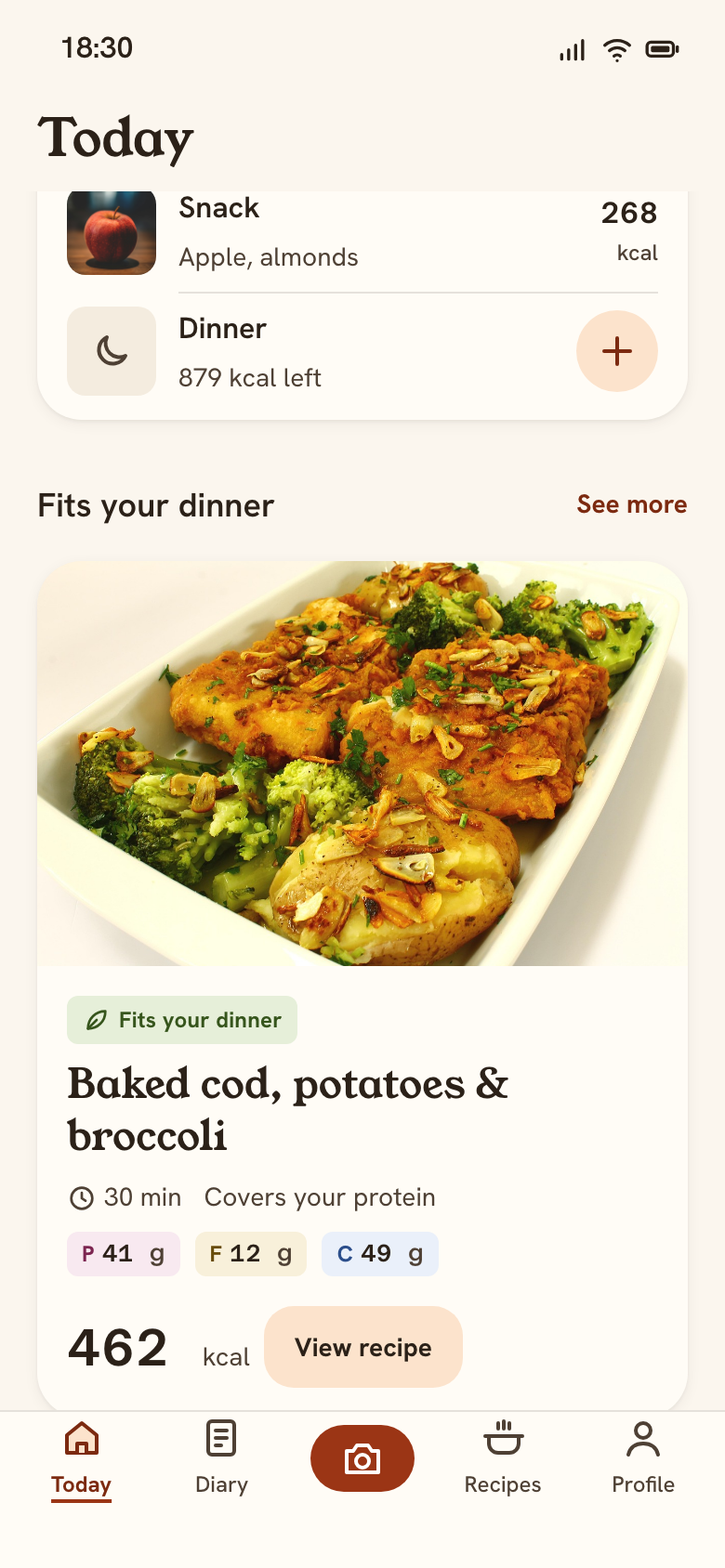 07 TodayDish card: chips + View recipe
- View recipeEnter / Space / tap
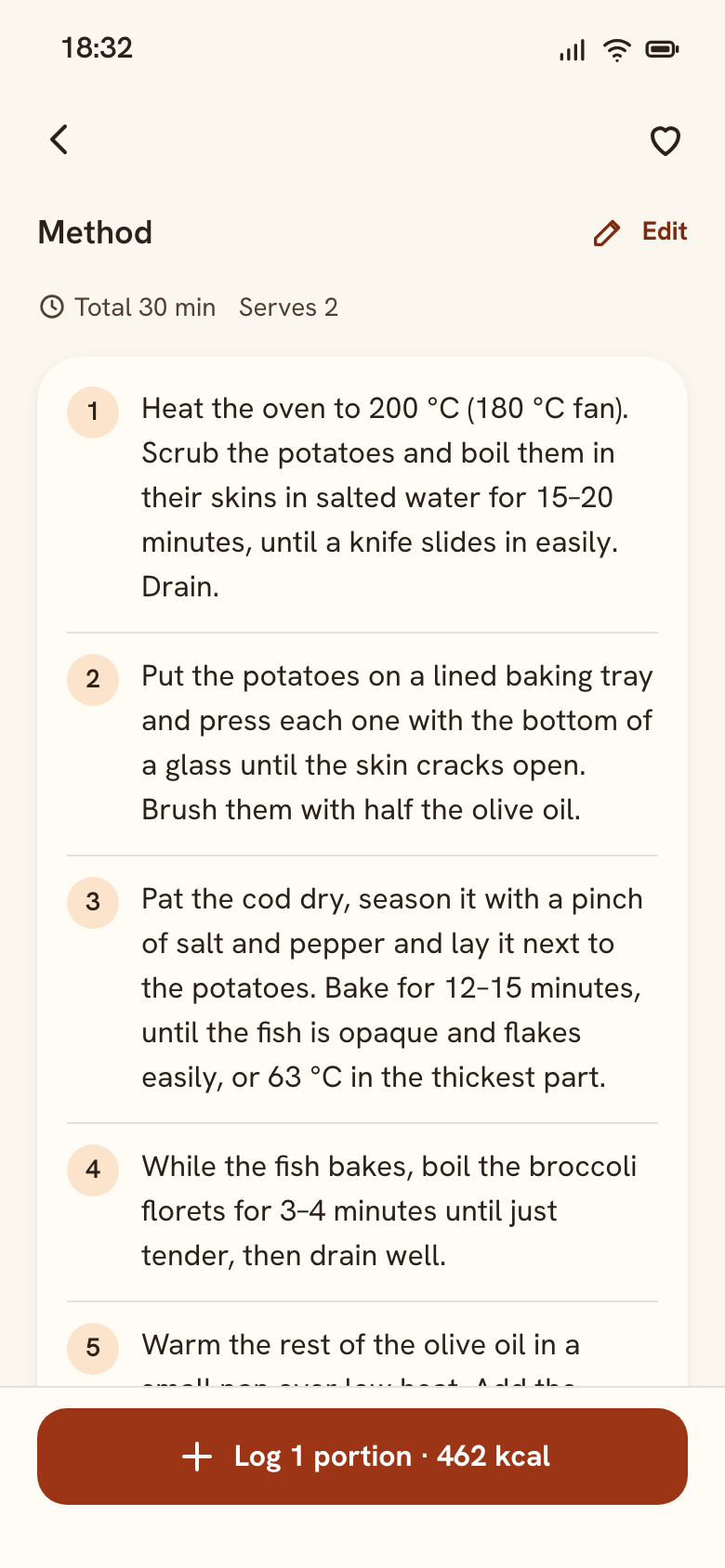 14 Dish detailMethod: 6 steps
- Edit method
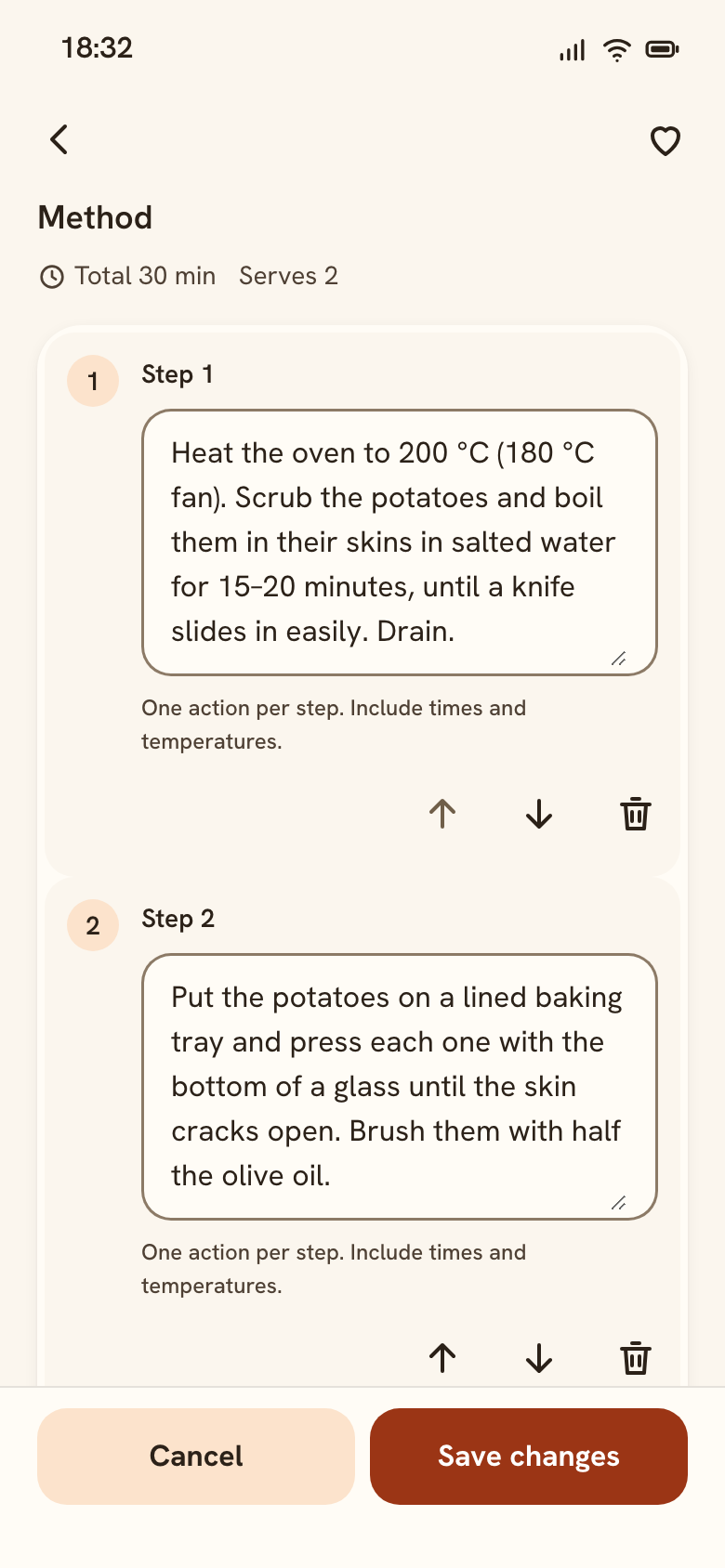 14 Dish detailEdit steps: move, delete
- Delete step 3Undo in the toast
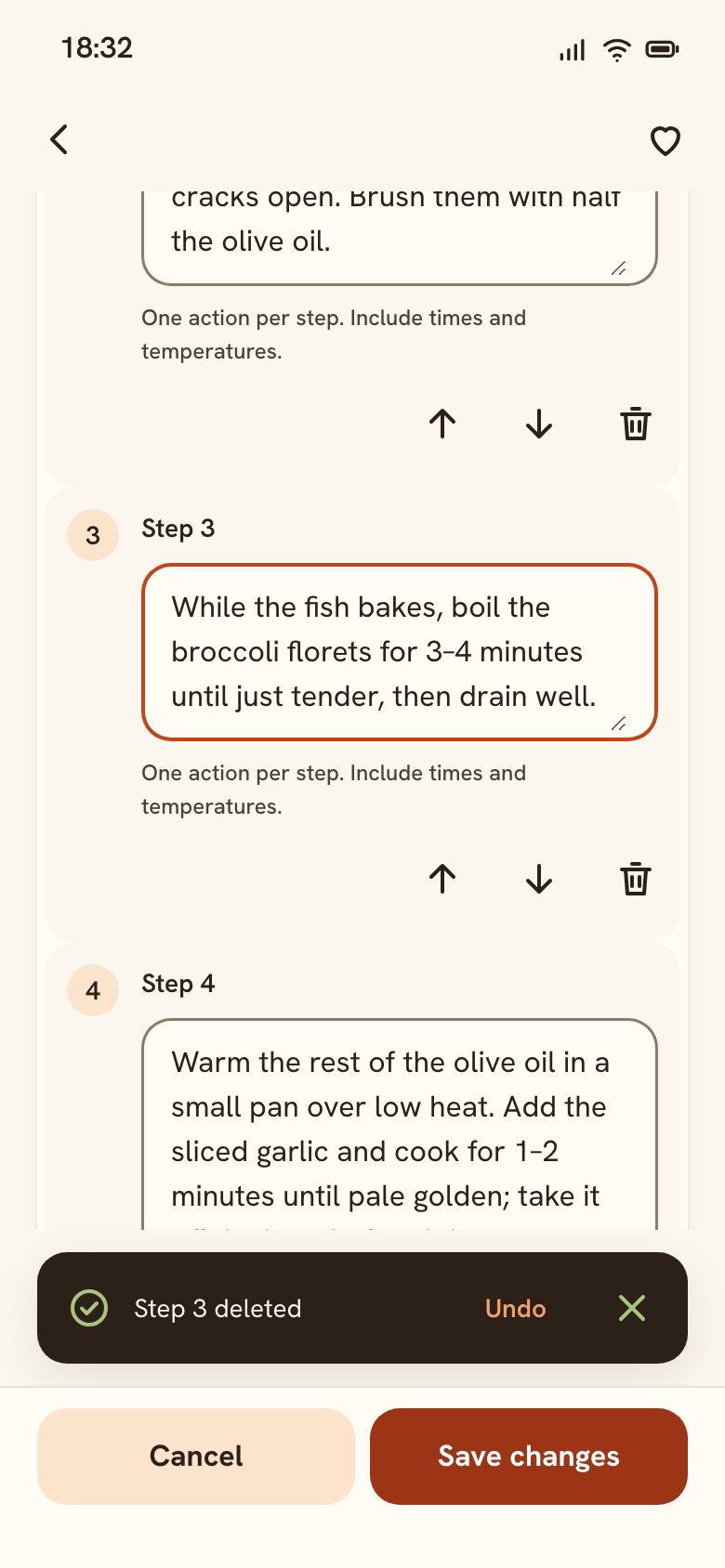 14 Dish detailStep deleted, Undo
- No stepsanother recipe
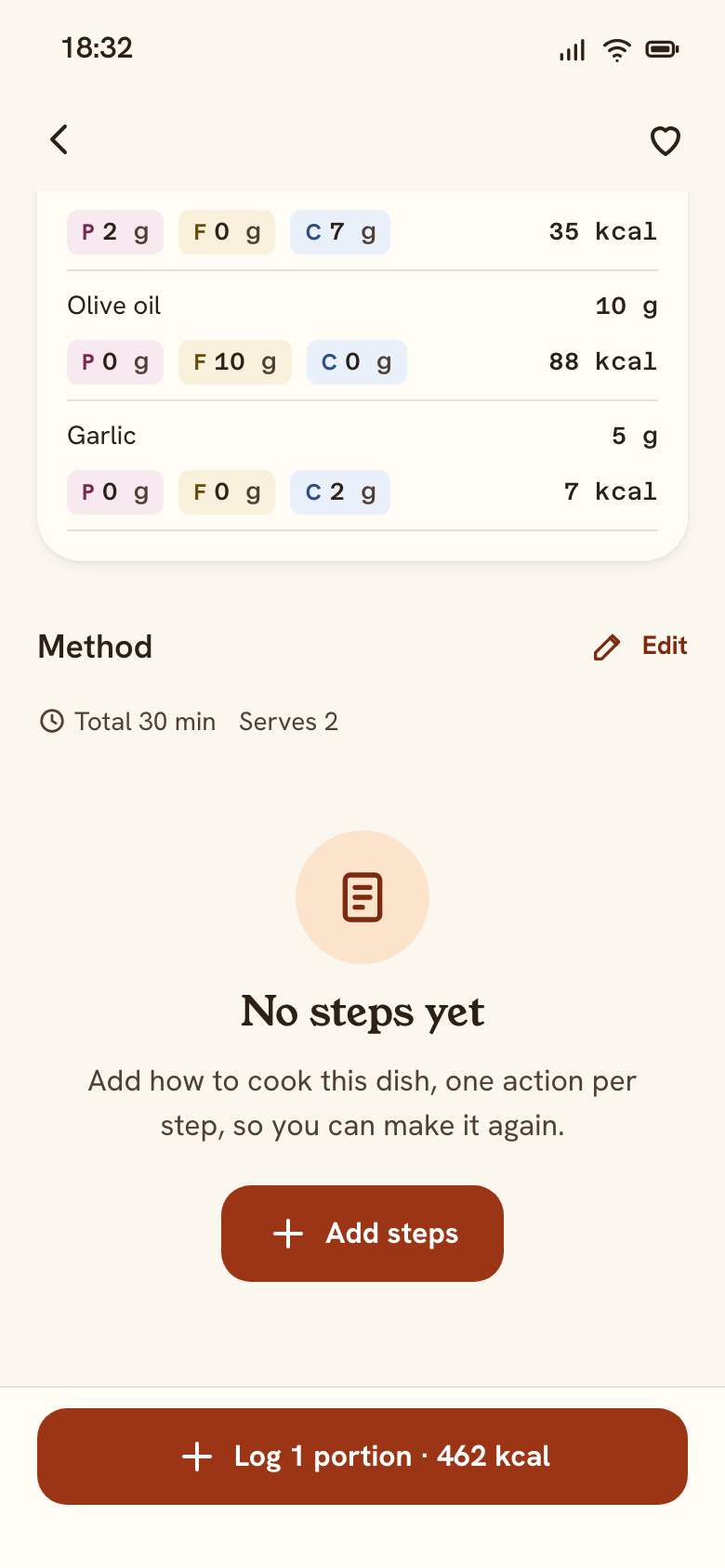 14 Dish detailNo steps: empty state
- 10. Lead with what's left
The ring answers “can I have dinner?”: 879 kcal left, and a recipe that fits it.
- 11. “Suits me” is visible
Diet and allergy come from onboarding. The allergy is a locked chip (lock + “Allergy”) and can only change in Profile.
- 12. Ranked by fit, explained in words
Fits the kcal left → covers the protein gap → fewer kcal. “Fits: 462 of 879 kcal”. One text column: title, time, reason, P/F/C, fit, kcal.
- 13. Safety before the numbers
Allergens in words above the fold; per-portion kcal and macros add up from the ingredients.
- 14. Log without leaving
A bottom sheet: meal preselected, portions, the same macro tiles, one primary button.
- 15. Calm when over
Protein is 10 g over: Turmeric and the words “10 over”. No red, no warning icon.
- 16. Fix a dish in place
Edit turns each row into labelled fields: food, amount, unit. Kcal, the ring and the macro bars update as you type, and screen readers hear the new total.
- 17. Delete with Undo
Focus moves to the next ingredient, so keyboard users don't get lost. The toast offers Undo and has no timer.
- 18. Don't lose work
Leaving with unsaved changes asks “Discard changes?”, with “Keep editing” first.
- 19. Errors say how to fix them
Empty or too-long names get a message with an example; the field keeps its visible label and a live character count.
- 20. A real “View recipe” button
Secondary button, 12.8:1, 44 tall, named “View recipe: Baked cod, potatoes & broccoli”. Enter, Space and click open the dish. The photo opens it too, for pointer users only (no extra tab stop).
- 21. The method is part of the dish
Numbered steps in an ordered list after Ingredients: 16 px text, line height 1.5, ≤ 80 characters a line. Time and servings above, in the card style.
- 22. Reorder without dragging
Move up / Move down buttons (WCAG 2.5.7) keep focus on the moved step and announce its new position. Disabled at the ends, not hidden.
- 23. Never a blank section
A recipe without steps shows “No steps yet” with “Add steps”, which opens a focused Step 1 field.
Change preferences, look back at the week
Profile edits the onboarding answers, and recipes re-filter at once. Diary shows the week; a day over the goal is calm, and past meals copy to today.
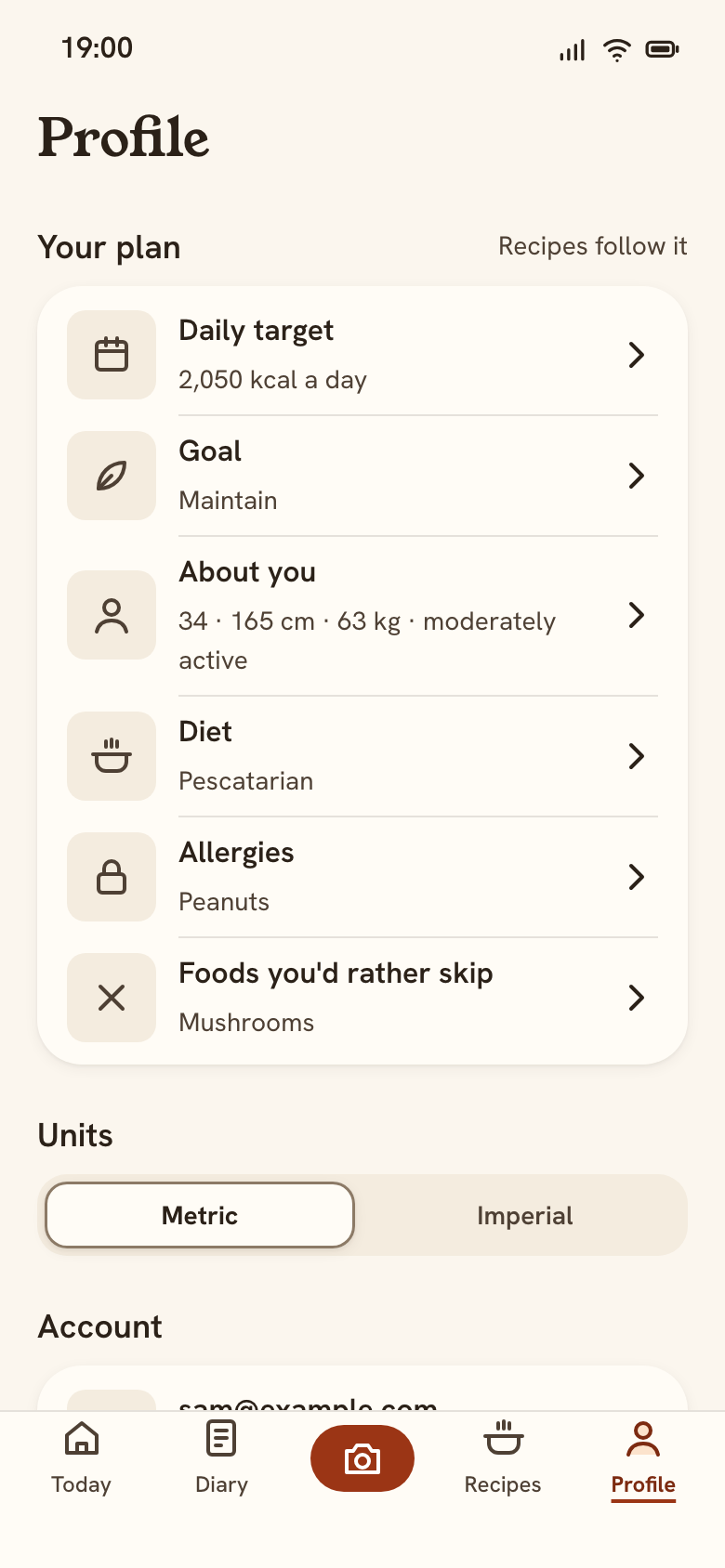 16 ProfileYour plan, units, account
- Allergiesedit
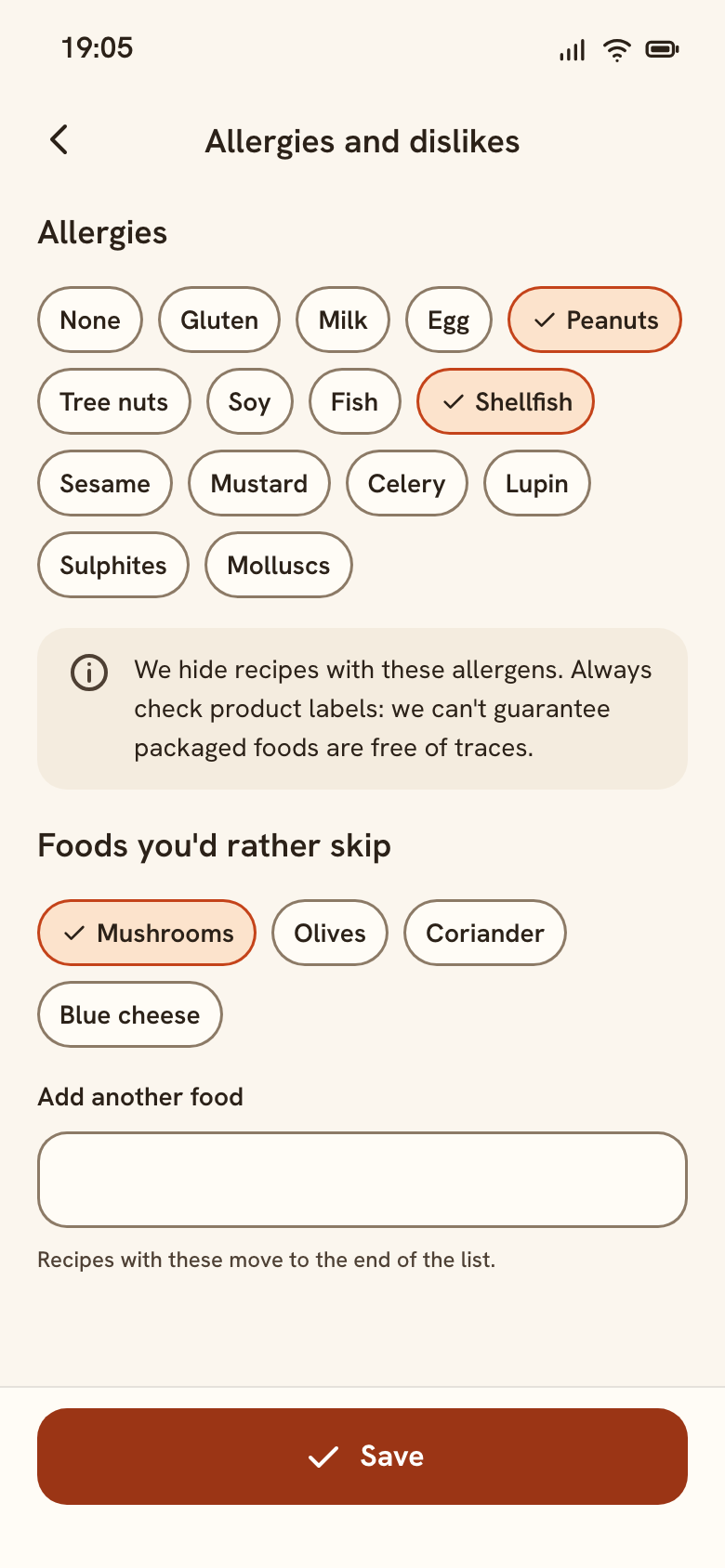 05 AllergiesEdit from Profile: + Shellfish
- Savetoast
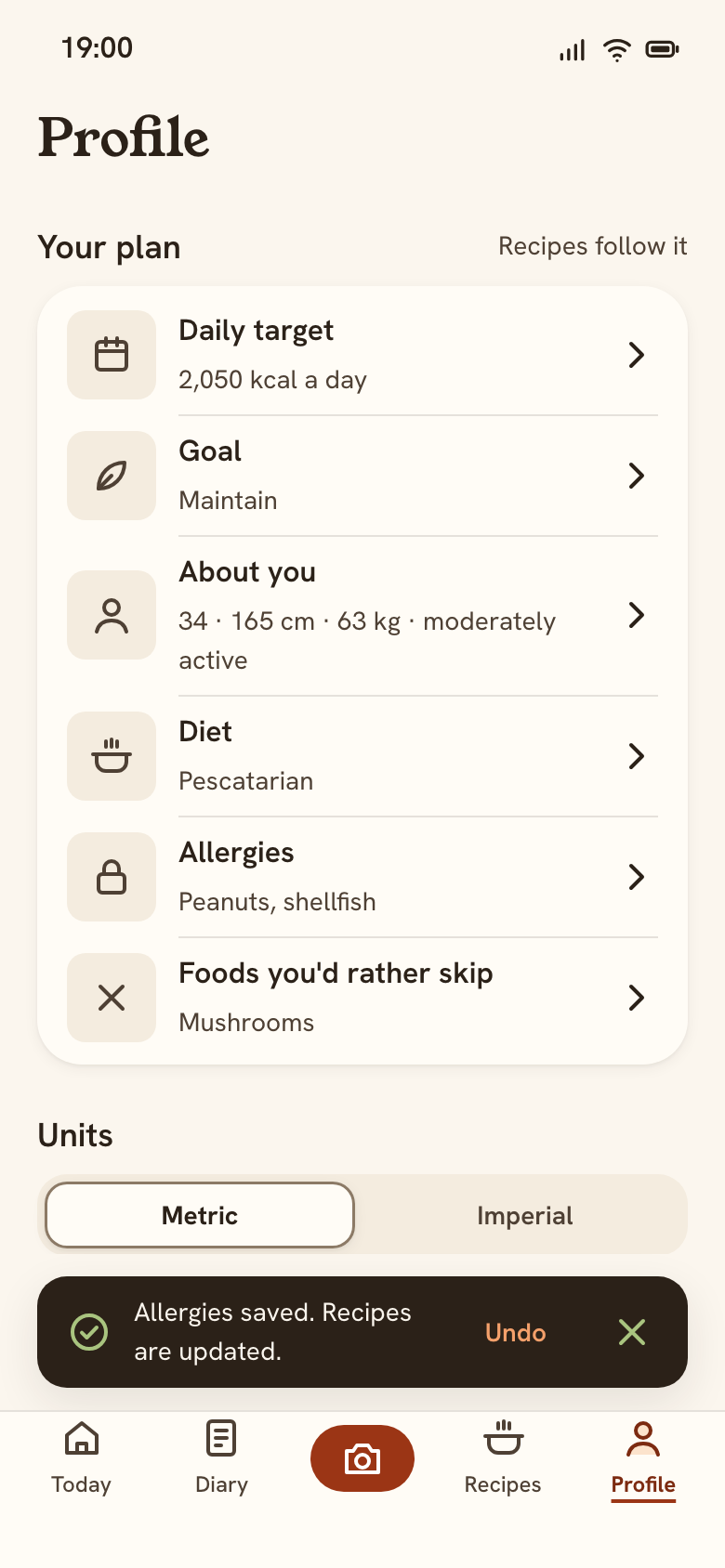 16 ProfileSaved: recipes update
- Recipes tab
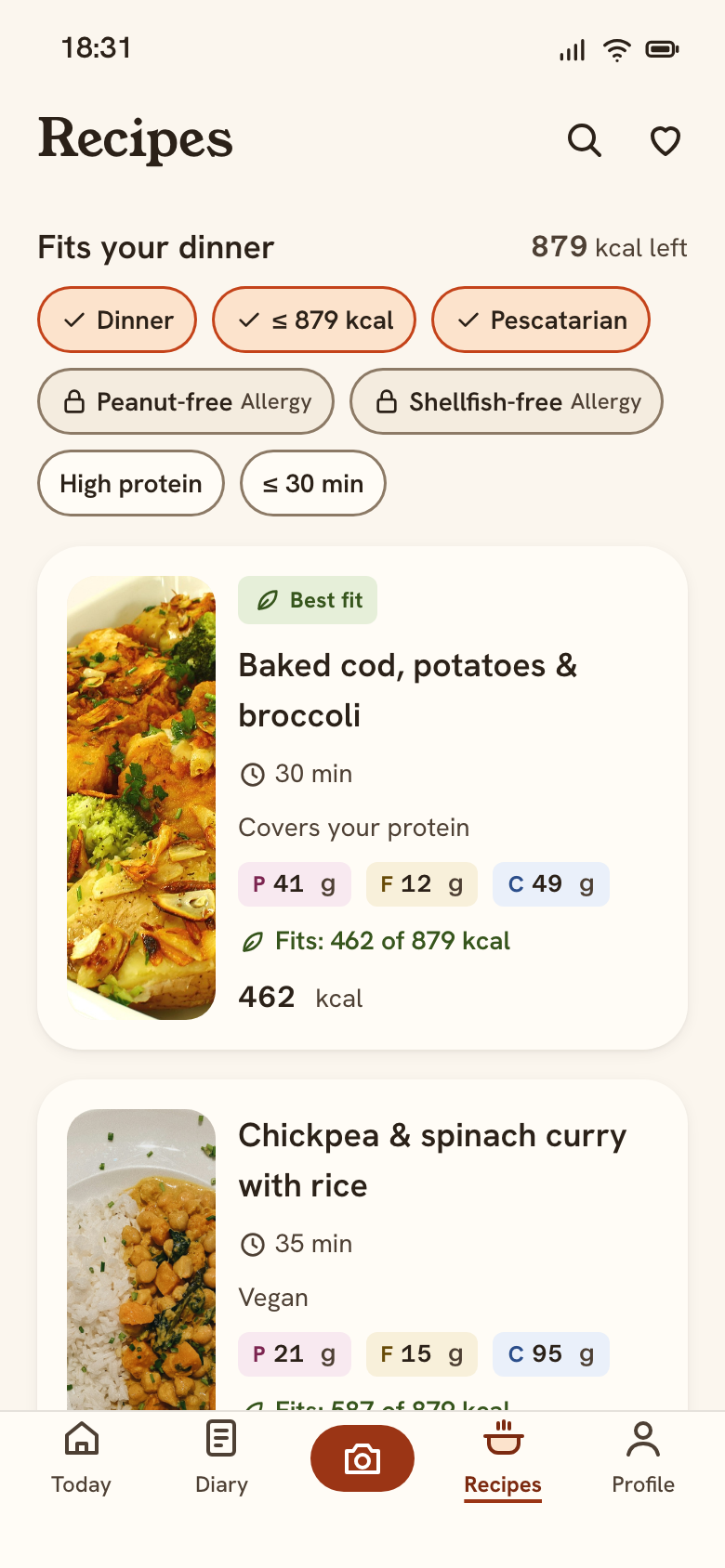 13 RecipesShrimp hidden: 2 recipes
- Delete accountfrom Profile
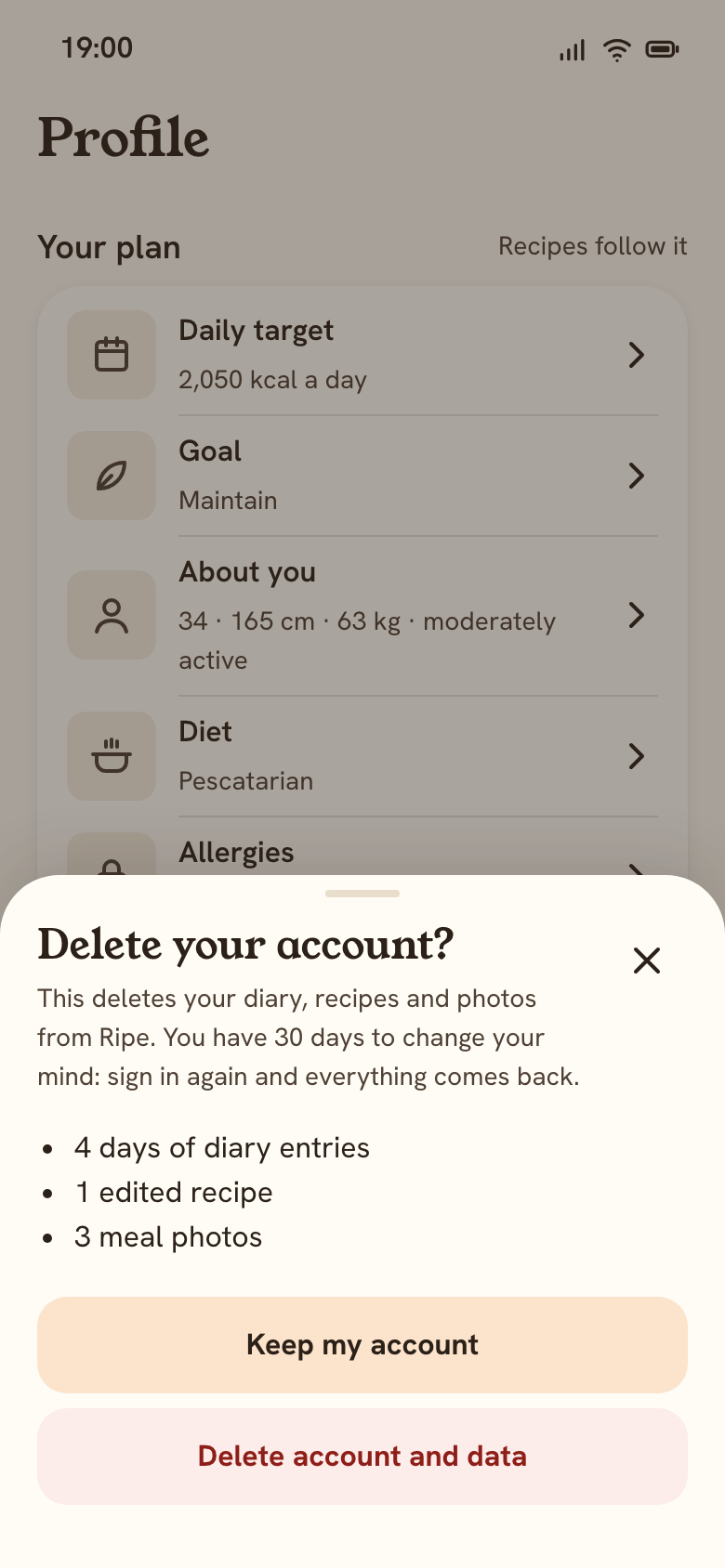 16 ProfileDelete account: confirm
3B · Diary
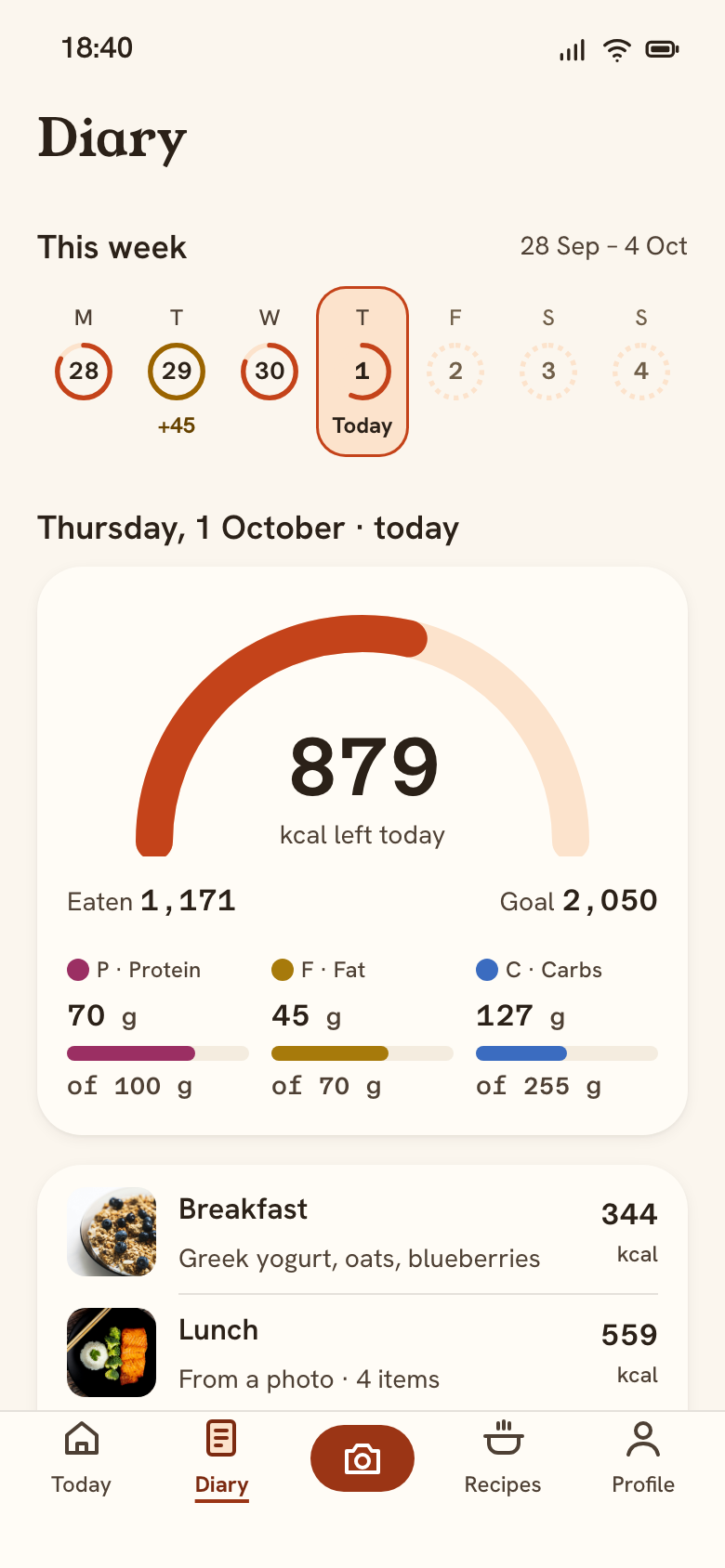 15 DiaryThis week, today selected
- Tap Tuesdayweek strip
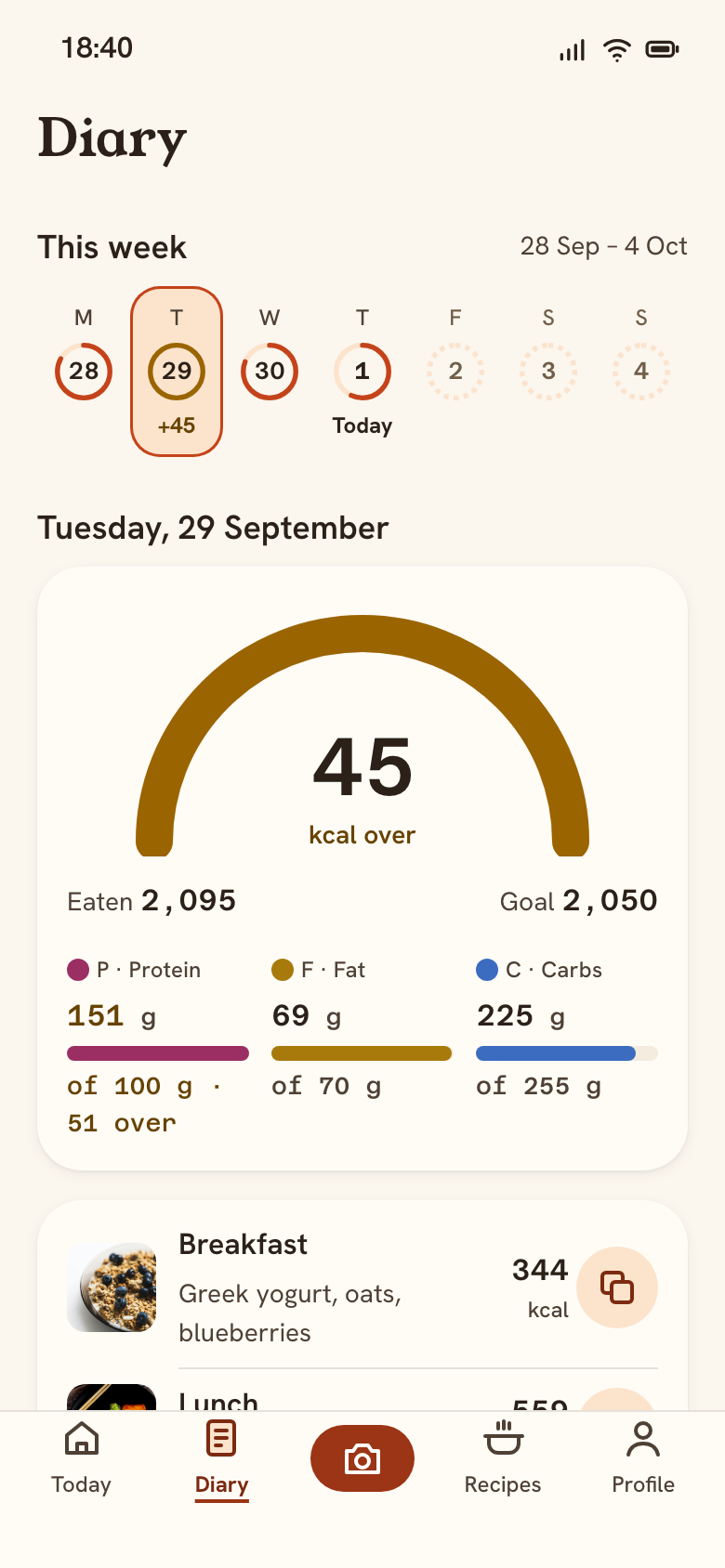 15 DiaryTuesday: 45 over
- 30. Profile keeps “suits me” right
Each row edits one onboarding answer with a named 44 pt button. Changing an allergy re-filters recipes at once.
- 31. Hidden recipes are explained
Shellfish added: the shrimp stir-fry disappears, a second locked chip appears, and the note says why 2 recipes are hidden.
- 32. Destructive needs a real confirm
What is deleted, 30 days to change your mind, and “Keep my account” first. The page behind is inert.
- 33. A week at a glance
Seven day buttons (≥ 44 pt, even at 320 pt) with mini rings. Today is marked in words, future days are disabled.
- 34. Calm when over, in Diary too
Tuesday is 45 over: a Turmeric ring and “+45” in the strip, “45 kcal over” in words. Past meals copy to today in one tap.